Exporting to the local storage
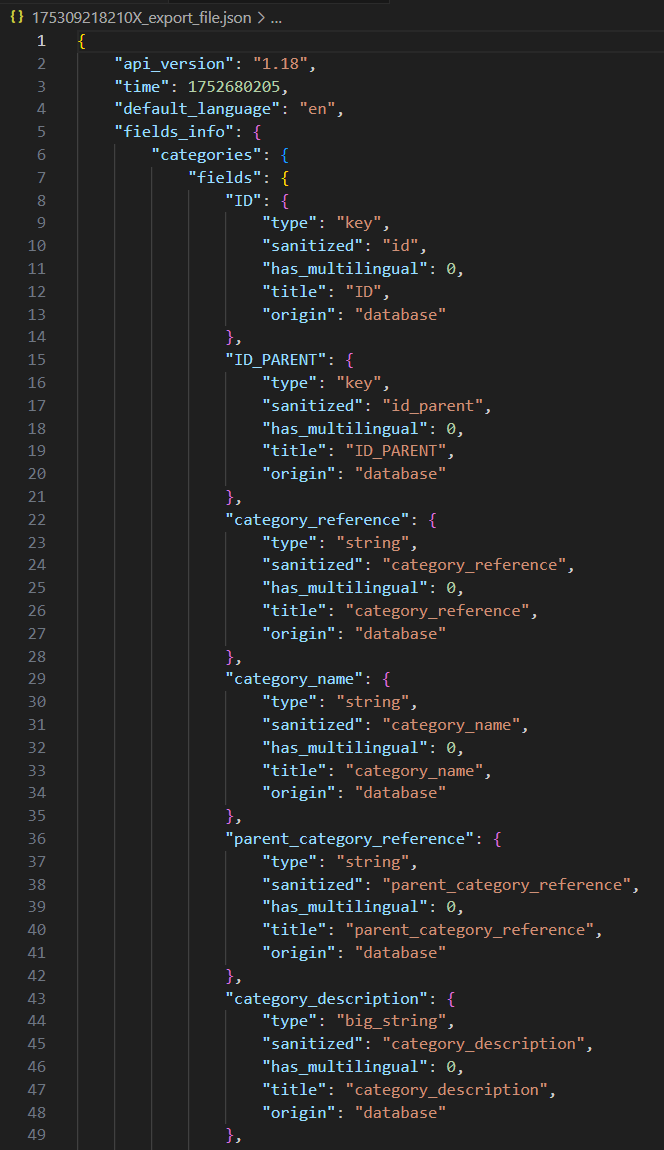
The “SDK_export_local.php” script is used to save the data into a JSON file in the local memory. The difference from the previous script here is the part of the code used to create and save the JSON file with data. This substitutes the code that would print the date on the web making it easier to analyse the exported contents.
// Save data in a file
$elements= [
'api_version'=>$api_ver,
'time'=>$resp_time,
'default_language'=>$def_lang,
'fields_info'=>$SLConn->get_response_table_information(),
'data'=>$SLConn->get_response_table_data()
];
$date=date("UNIX");
$data=json_encode($elements, JSON_PRETTY_PRINT);
$path= LOC_BASE .$date.'_export_file.json';
$output_file=fopen($path,'w');
fwrite($output_file,$data);
fclose($output_file);
echo'<<'.$date.'_export_file>>   saved in:   '. LOC_BASE;
Example of the date exported and saved in a JSON file and viewed in VS code.
Was this article helpful?
That’s Great!
Thank you for your feedback
Sorry! We couldn't be helpful
Thank you for your feedback
Feedback sent
We appreciate your effort and will try to fix the article