The code editor
The SDK files are located in the Sales Layer GitHub with public access so any client, prospect or partner with or without a Sales Layer account will have free access to it.
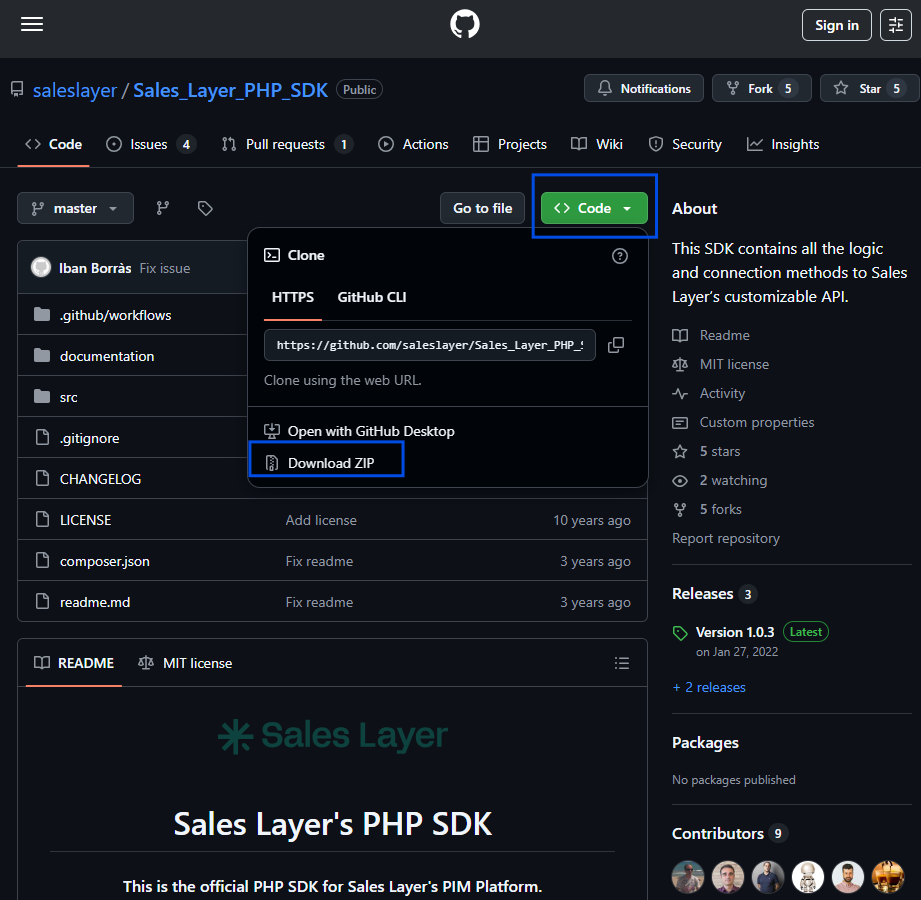
- Once downloaded and saved into a folder of the user's choice, a code editor is required in order to edit and run the scripts. To showcase some examples in this course, Visual Studio Code will be used.
- The SDK is coded using a combination of HTML and PHP languages thus, the installation of the corresponding interpreters will be required
- SDK script files will be available in the attachments of this course. Web application management software will be required to execute them, Laragon is used in this course.
- SDK_export_web.php - export and show the data on the web.
- A library for a data presentation on web view is required, in this course Nicer library is used
- SDK_export_local.php - create a JSON file and save the data in the same location the script is stored
- VS Code or other software can be used to read the JSON file
- SDK_export_DB.php - export to an existing database
- Database managing software is required for previous database creation
- HeidiSQL is used to showcase an example
- SDK_import.php - import data into Sales Layer
- Previously created import channel is required
- SDK_export_web.php - export and show the data on the web.
Was this article helpful?
That’s Great!
Thank you for your feedback
Sorry! We couldn't be helpful
Thank you for your feedback
Feedback sent
We appreciate your effort and will try to fix the article