Use “SDK_export_web.php” script to export and view data directly on the web. The first, most important and common parameters to all scripts in order to export the data are the “connector_id” and the “secret_key”, both available in the “Parameters” tab within the channel in Sales Layer.
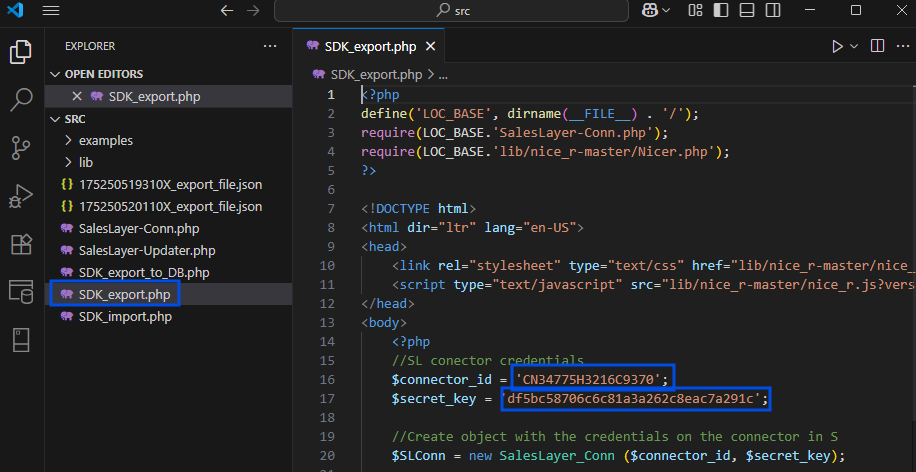
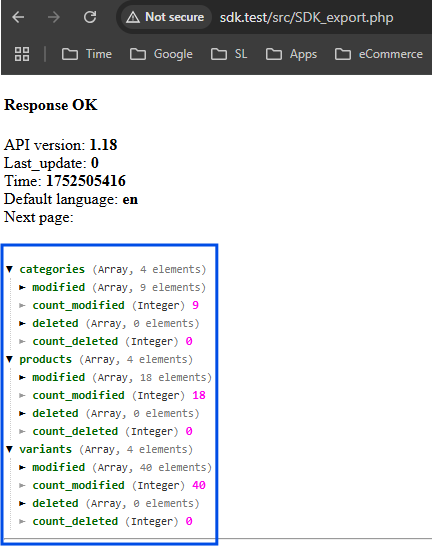
To run this code use a web application program, the export data will be shown on the web.
The functions used in the SDK script come from the “SalesLayer-Conn.php” base file which counts on some other useful parameters. Detailed below are the most used:
- last_update- timestamp in UNIX format indicating the moment in time. When defined only items with the modification time greater than last_update will be exported.
- A dynamic use is possible by storing its value in a text file and reading it at every call. More specifically, read at the beginning of the code and overwrite with the call time at the end of the code.
- Default value, if none indicated, is 0 which corresponds to exporting all the items no matter the modification date
- API version- version 1.17 and 1.18 are currently available. The recommendation is using the version 1.18
- Default value is 1.17
- pagination- number of items to be exported per page, this allows the export without overloading the system in cases with large amounts of data. Data will be exported in packs also returning the call URL for the following pack of data.
- This parameter is ranged in groups of 500 thus, the possible amounts per page are 500, 1000, 1500 etc.
- In order to set the pagination to one of the possible values choose a number within the higher range. I.E. to set 1500 pagination, the parameter in the code would be any value between 1501-2000.
- The default value is 1000, this parameter is specific to the API version 1.18 only
- group_category_id- Boolean parameter for grouping the multicategory products. When set to “true” a product with several categories will be exported once with the corresponding category values in a single field. When set to “false” a multicategory product will export as many times as the categories it has.
- Default value is “false”
- same_parents_variants- Boolean parameter for exporting non-modified items which are related to a modified item.
- Example:
- If set to “true” and only one variant is modified all the related items and the parent product will be exported
- If set When set to “false” only the modified item will be exported
- Default value is “false”
- Example:
These parameters are included in the code in the following way using the corresponding function in every case. The last_update is set differently as it is a part of the “get_info” function which is the GET API call function.
// Extra parameters
last_update="0";
$SLConn->set_API_version('1.18');
$SLConn->set_pagination(3001);
$SLConn->set_group_multicategory(true);
$SLConn->set_same_parent_variants_modifications(true);

//API call to export the information
$SLConn->get_info($last_update);- The errors list included in “SalesLayer-Conn.php” . These errors/warnings can be returned independently of the successful API connection, i.e. response = 200.
| Code | Explanation |
| 1 | Validation error |
| 2 | Invalid connector code |
| 3 | Invalid unique key |
| 4 | Invalid codification key |
| 5 | Incorrect date of last_update |
| 6 | API version nonexistent |
| 7 | Invalid output mode |
| 8 | Invalid compression type |
| 9 | Invalid private key |
| 10 | Service temporarily blocked |
| 11 | Service temporarily unavailable |
| 12 | Incorrect date-code |
| 13 | Date code has expired |
| 14 | Updating data. Try later |
Was this article helpful?
That’s Great!
Thank you for your feedback
Sorry! We couldn't be helpful
Thank you for your feedback
Feedback sent
We appreciate your effort and will try to fix the article