When you import products into Sales Layer, the system remembers the fields you have created and how they are mapped to the columns in your import files. This makes future imports easier, as you do not need to configure the same field associations again.
However, there may be situations where you want to start over with a completely new product structure, without keeping any products or field configurations from previous imports.
To do this, you can use the Restart Table option.
How to restart a table
- Go to the Products section in Sales Layer.
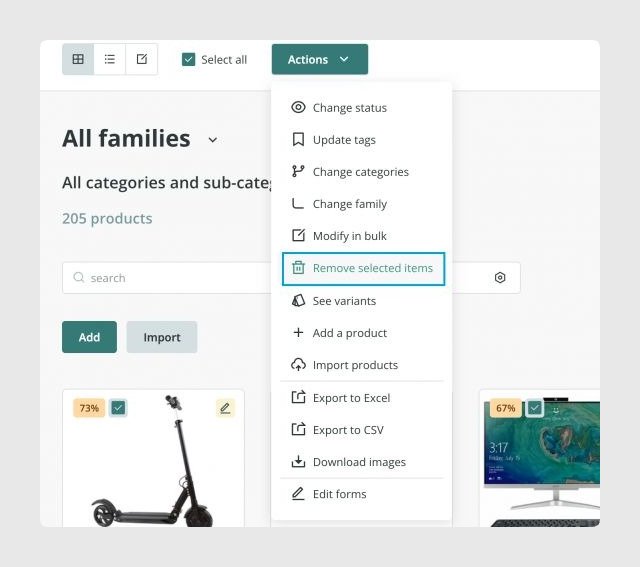
- Delete all existing products from the table by going to Actions > Remove selected items. This is required because the Restart Table option will not appear while products are still present.
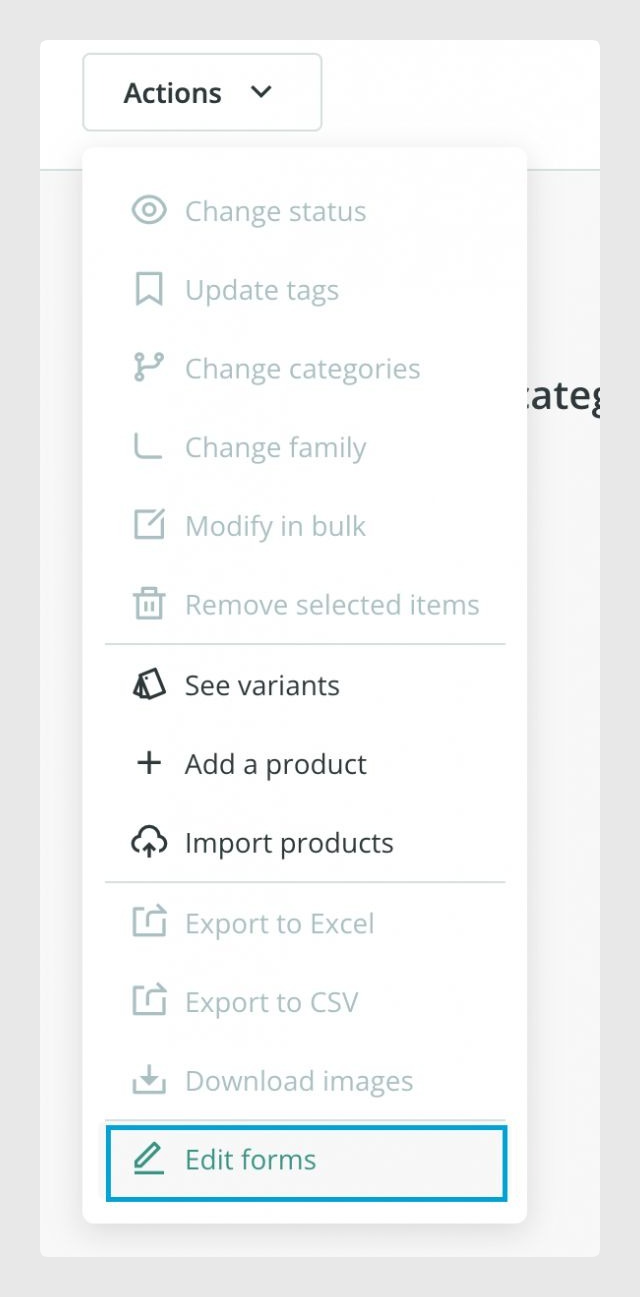
- Once the product table is empty, open the Actions menu and select Edit Forms.
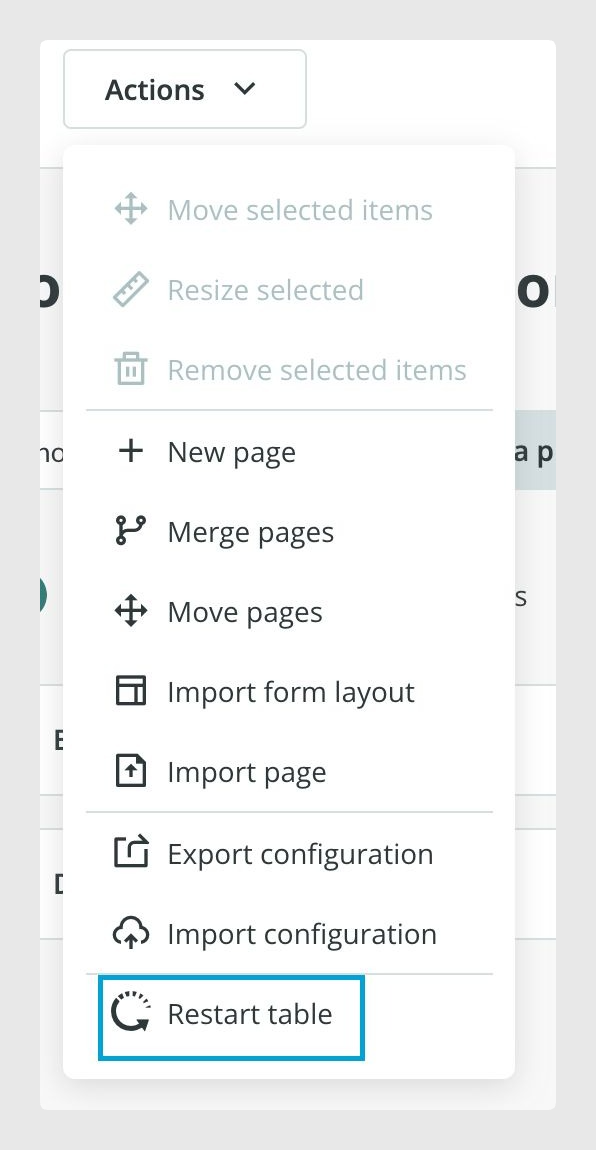
- In the form editor, open the Actions menu again.
- Select Restart Table.
What happens after restarting?
Once the table has been restarted, Sales Layer will no longer remember the fields and column associations from previous imports.
The next time you import data, you can configure your fields and their associations again, starting with a fresh structure.
Fields linked to connectors
Some fields in Sales Layer may be associated with connectors that send product information to other systems.
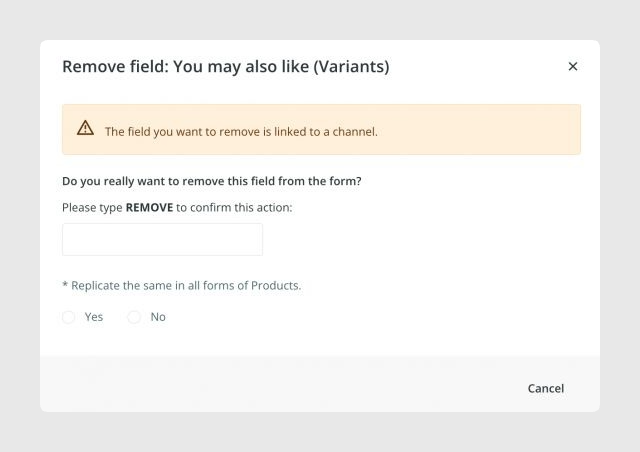
To help protect these fields, Sales Layer displays a warning whenever you attempt to delete a field linked to a connector.
Pay attention to these warnings before removing fields, as they indicate that the field is being used by an existing connector.
Best practices
Before restarting a table, make sure you no longer need the existing product data or field configuration. Review any fields linked to connectors and consider how removing them could affect your integrations. It is also advisable to keep a copy of any important product information or field configuration you may need when setting up your new structure.
Was this article helpful?
That’s Great!
Thank you for your feedback
Sorry! We couldn't be helpful
Thank you for your feedback
Feedback sent
We appreciate your effort and will try to fix the article