In Output data, you can use filters to control which items are exported.
Attribute Set filter
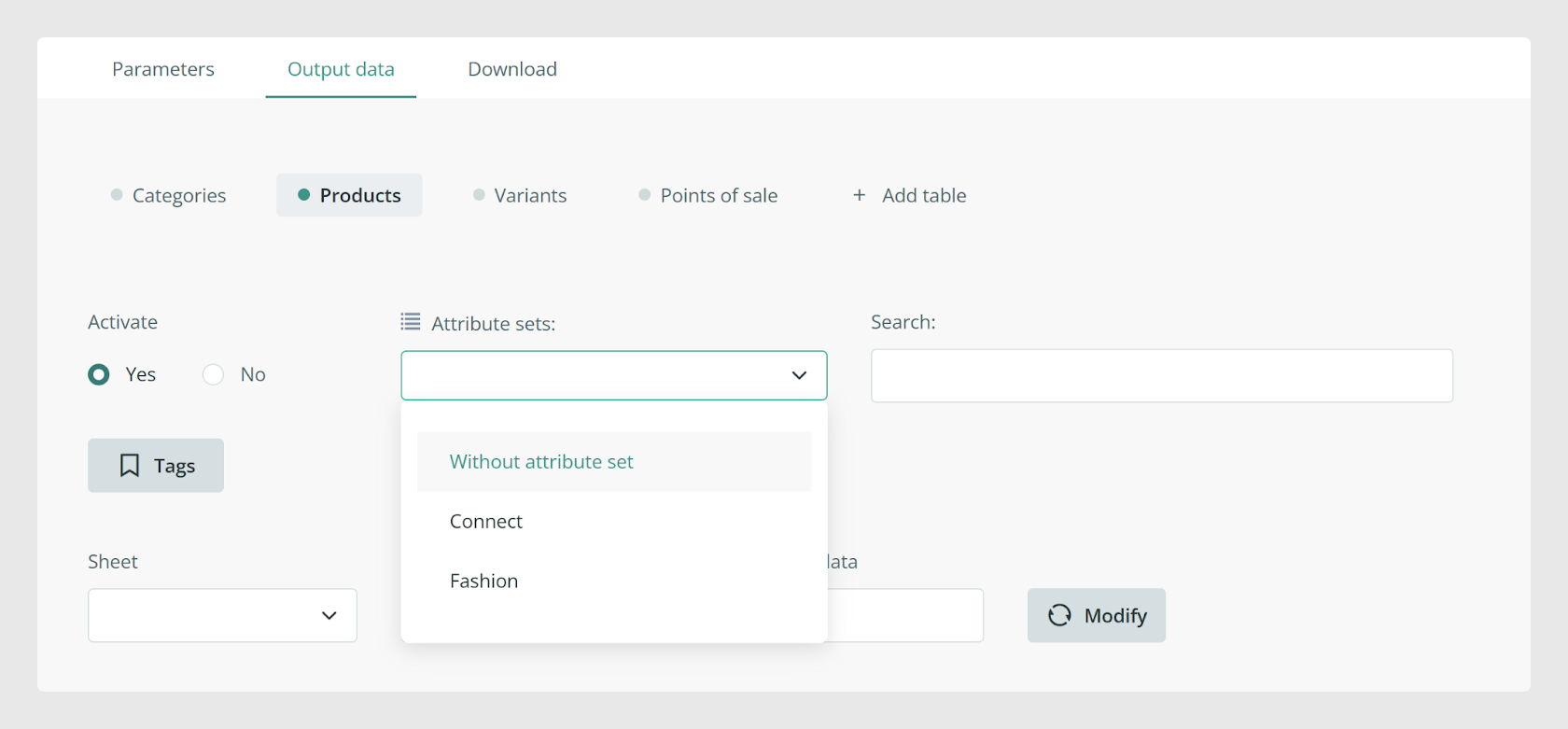
The Attribute Set section lets you filter the items to export by Attribute Set. Leave it empty if you do not want to filter by Attribute Set.
Search filter
The Search option works like the Sales Layer search engine. It helps you filter the items that should be included in the export.
Filters when tables are not merged
Important: If products have not been merged from the Parameters tab, filters applied in Output data are independent for each tab.
For example, if you apply a filter in Products, it is applied independently from the filters in Variants and Categories.
Filters when tables are merged
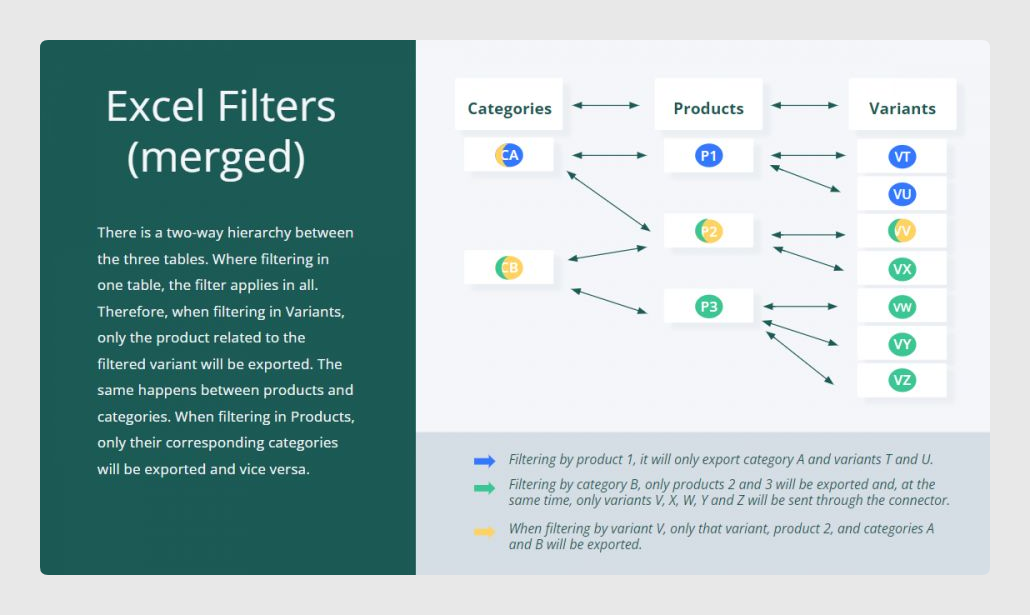
If the options to merge categories, products, and variants are enabled, the connector follows the hierarchy between those main tables.
In that case, filtering one table affects the related tables. For example, filtering by variant exports only the product related to that filtered variant. The same logic applies to products and categories.
Was this article helpful?
That’s Great!
Thank you for your feedback
Sorry! We couldn't be helpful
Thank you for your feedback
Feedback sent
We appreciate your effort and will try to fix the article