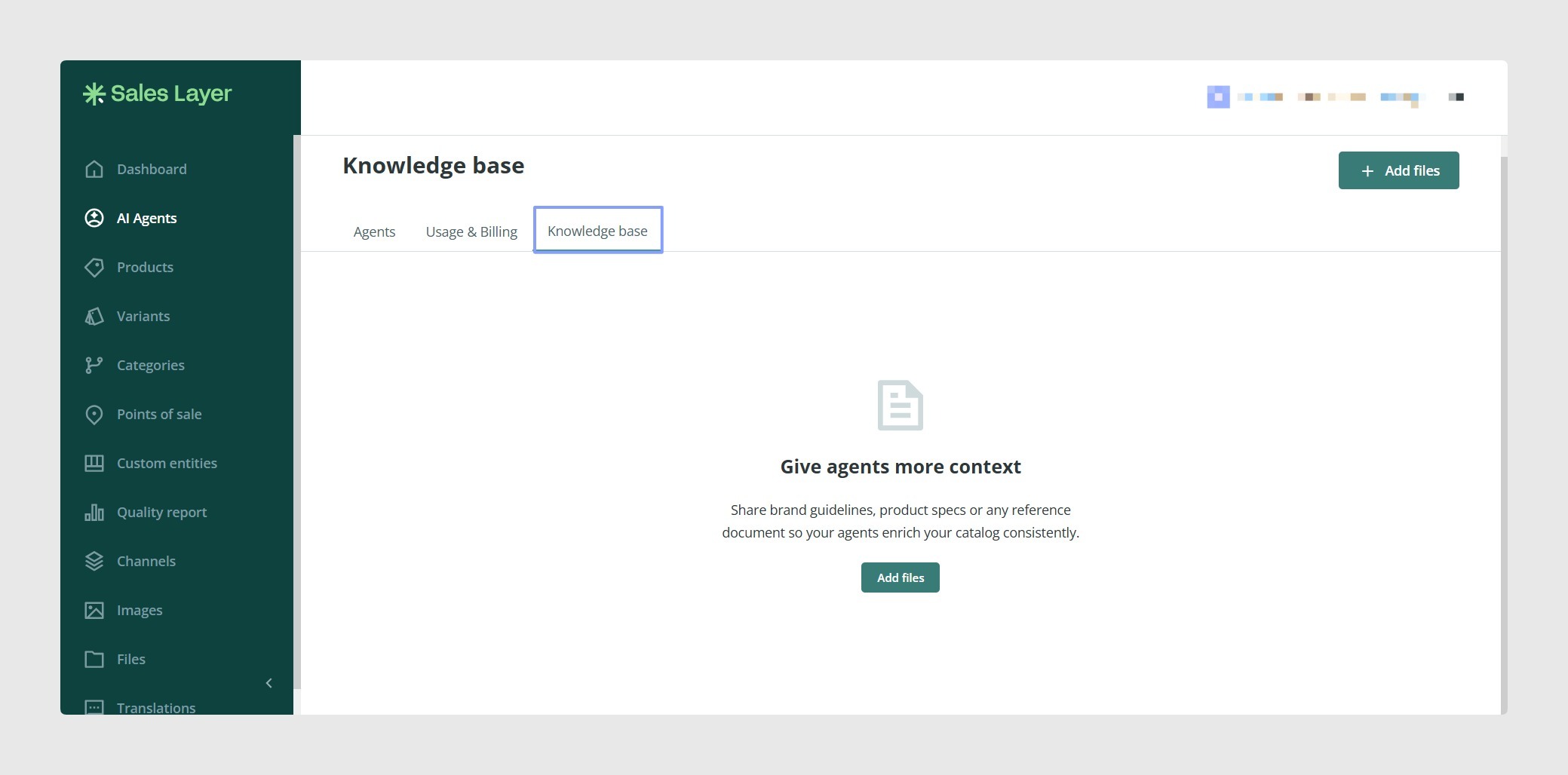
The Knowledge base allows you to upload files and use them as context for your agents. This helps agents follow specific information when they perform an action.
For example, you can attach files such as SEO keyword lists, brand guidelines, legal disclaimers, product specifications, or tone of voice guides to help the agent produce better results.
How it works
Files are first uploaded to the Knowledge base. After the upload, Sales Layer processes the file so it can be used by AI agents.
Once the file is ready, you can select it inside the configuration of an agent action. The selected files are then used as context when that action runs.
Open the Knowledge base
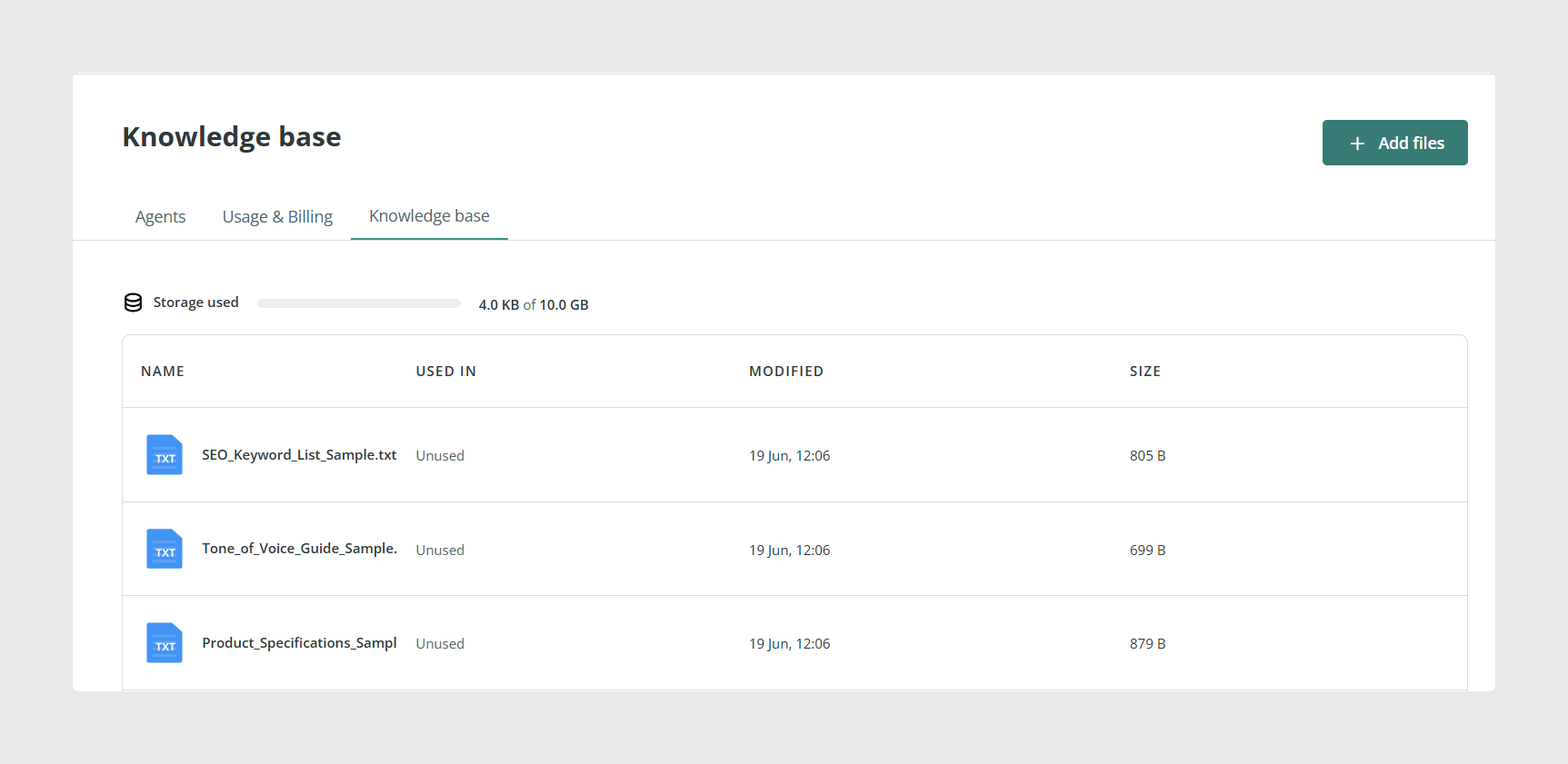
Go to the Agents area and select the Knowledge base tab.
In this tab, you can see:
- The storage currently used.
- The files uploaded to the Knowledge base.
- Whether each file is used in any actions.
- The date when each file was modified.
- The file size.
Upload a file
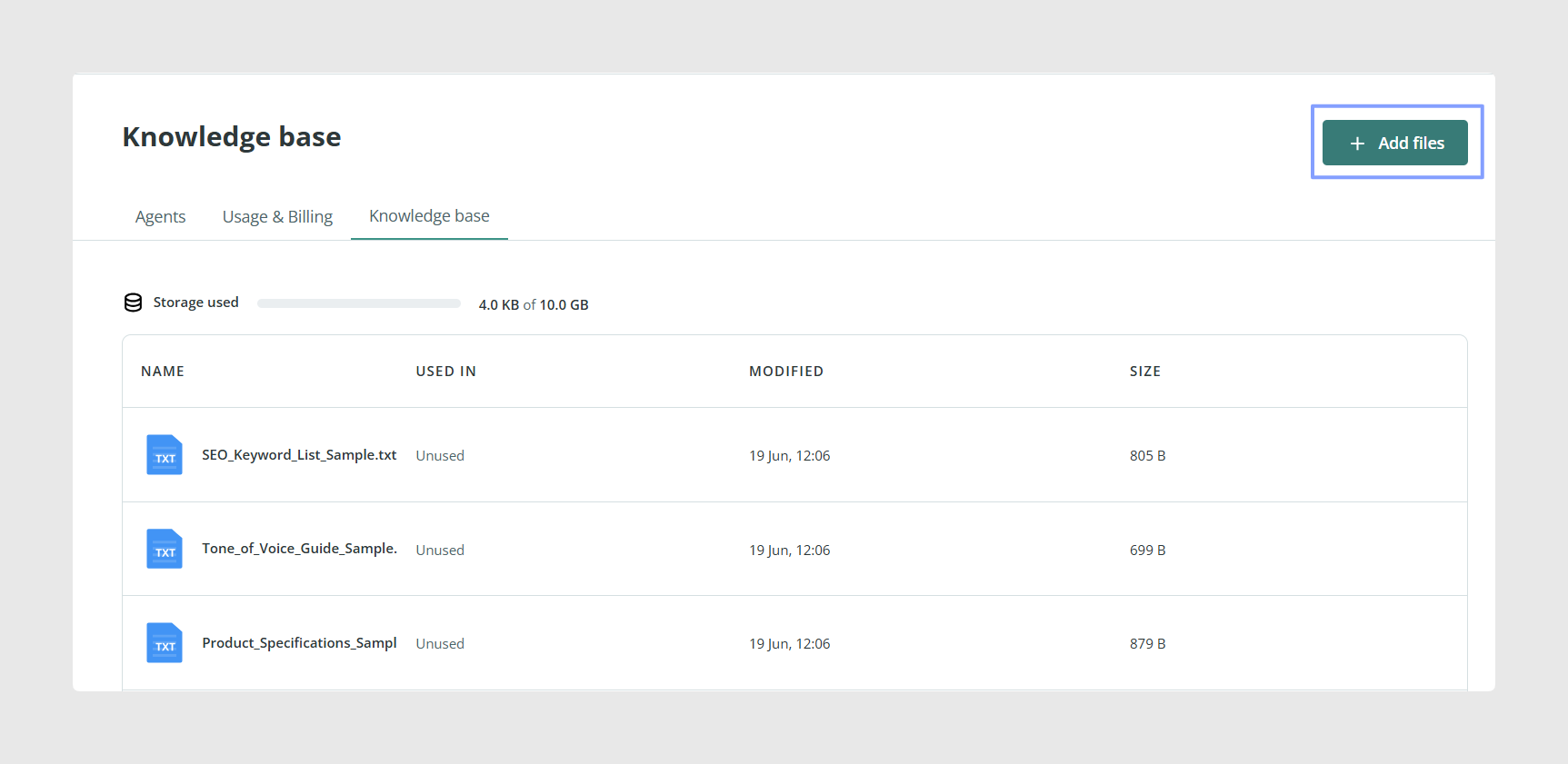
To add a file to the Knowledge base, click Add files in the top-right corner of the page.
After selecting the file, it appears in the file list. During the upload, you may see an upload progress label. Once uploaded, the file may show a processing status while Sales Layer prepares it for AI agents.
Add Knowledge base files to an agent
Open the agent you want to configure, or create a new one.
In the agent setup, go to the Actions step. Open the configuration of the action where you want to add context.
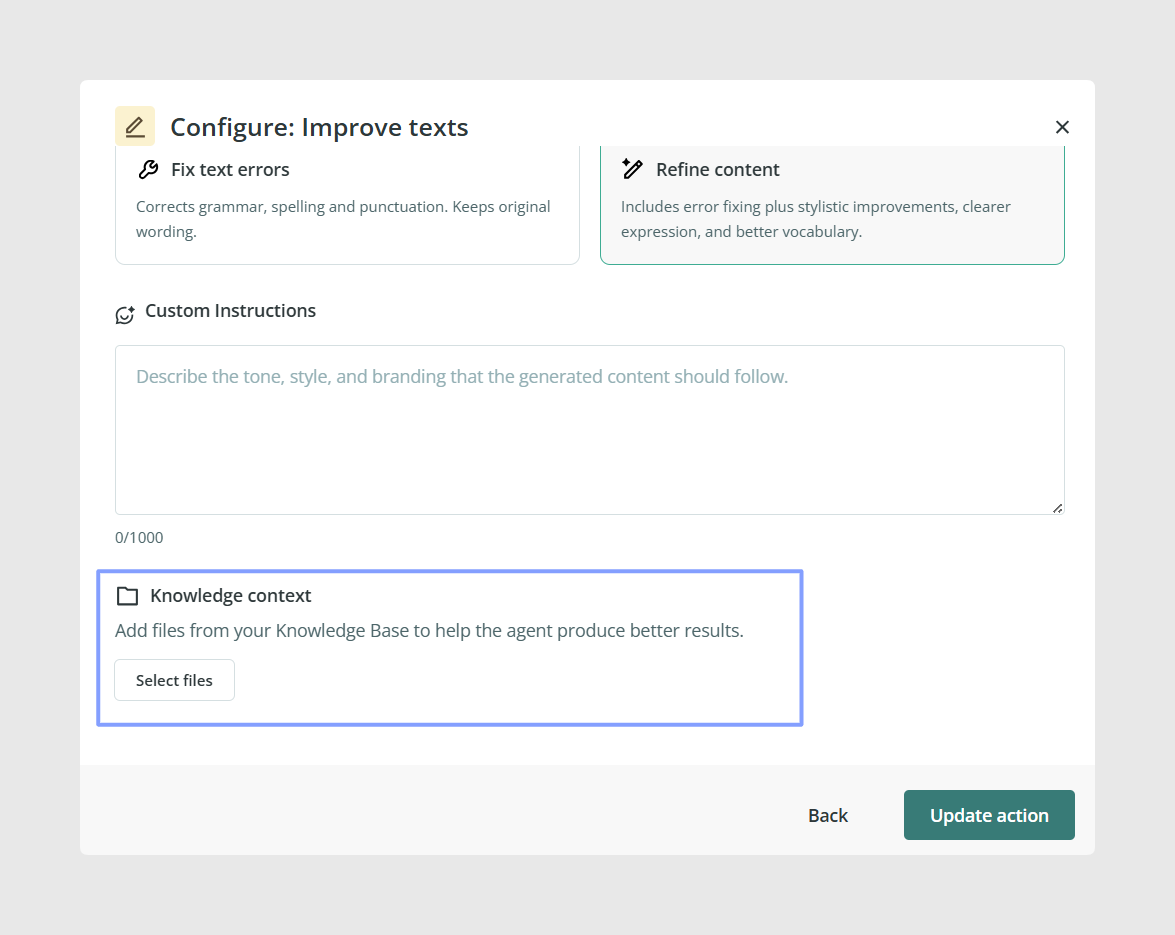
In the action configuration window, look for the Knowledge context section. Enable it, then click Select files.
Select the files
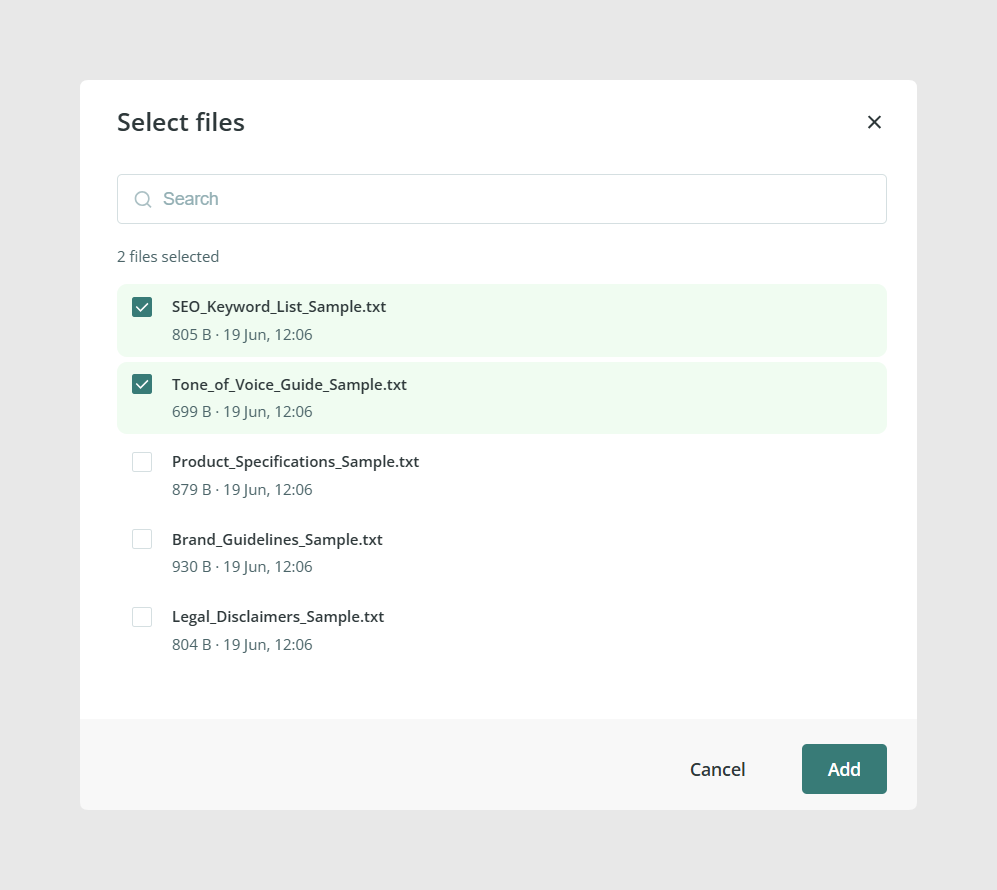
After clicking Select files, a window opens with the files available in the Knowledge base.
Use the checkboxes to select the files you want the agent to use. You can also use the search bar to find a specific file more quickly.
When you have selected the files, click Add.
Review the action
After adding the files, return to the action configuration and click Update action.
The action summary will show the selected files under Knowledge context. This confirms that the files have been added to that action.
Common Use Cases
The Knowledge base is useful when agents need to follow information that is not stored directly in the product data.
Common examples include:
- Using brand guidelines when generating or improving content.
- Applying SEO keyword rules during translation or enrichment.
- Following legal disclaimers when creating market-specific content.
- Using product specification documents as extra context.
- Applying a specific tone of voice across generated text.
Best practices
Keep Knowledge base files focused and easy to identify. Use clear file names, remove outdated files, and only attach the files that are relevant to the action you are configuring. When an agent makes changes to important product content, review the results before applying them whenever possible.
Was this article helpful?
That’s Great!
Thank you for your feedback
Sorry! We couldn't be helpful
Thank you for your feedback
Feedback sent
We appreciate your effort and will try to fix the article