Glossary settings help control how specific terms are translated by a Translation agent.
This is useful when your company uses brand terms, technical words, product names, or expressions that should be translated in a specific way.
Create a glossary
To create a glossary:
- Open the menu in the upper-right corner.
- Click Settings icon, located next to the Agents page title.
- Open Glossary.
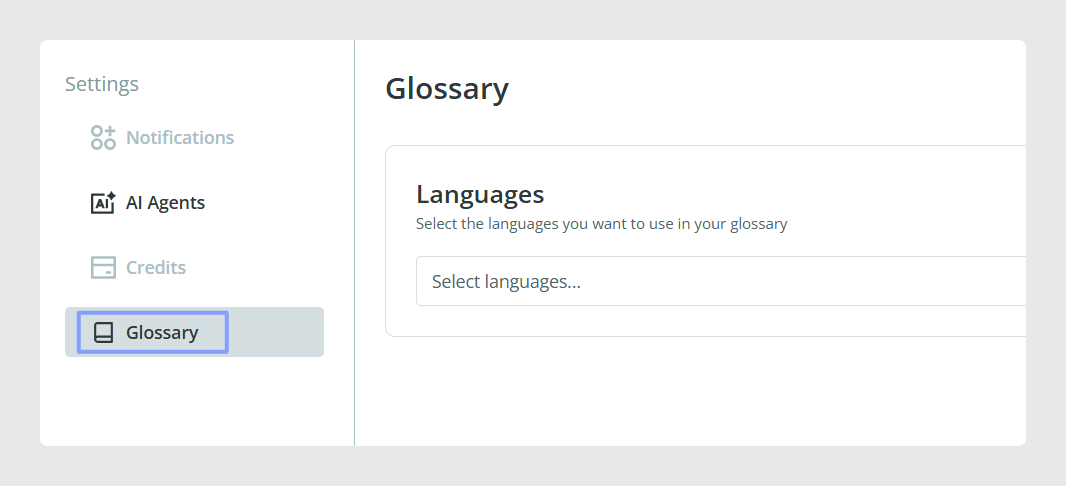
- Choose the languages that the glossary will apply to.
- Click Add term and add the terms you want the translation agent to follow.
- Once the terms are ready, click Save.
How the glossary helps
The glossary helps control how certain words are translated. This is especially useful for terms that should remain consistent across products and languages.
Common Use Cases
Use glossary settings for:
- Brand names
- Product names
- Technical terms
- SEO terms
- Words that should not be translated
- Terms that must always use a specific translation
Best practices
Add glossary terms before running the translation agent. Review the glossary regularly so it stays aligned with your catalog terminology and brand guidelines.
Was this article helpful?
That’s Great!
Thank you for your feedback
Sorry! We couldn't be helpful
Thank you for your feedback
Feedback sent
We appreciate your effort and will try to fix the article