In this section, you will find three tabs to map the fields from your Categories, Products, and Variants.
As mentioned in the previous section, if the parameter Process variants as products is set to “Yes”, the Products tab will not appear in this section, and the existing product fields will be shown on the Variants tab.
If this option is selected after product mapping has already been done, all filters previously applied to the Product tab will be removed, and it will only be possible to filter items at category or variant level.
You need to do the corresponding field mapping in each tab, selecting the related Sales Layer field that matches the one in the Name in Magento column.
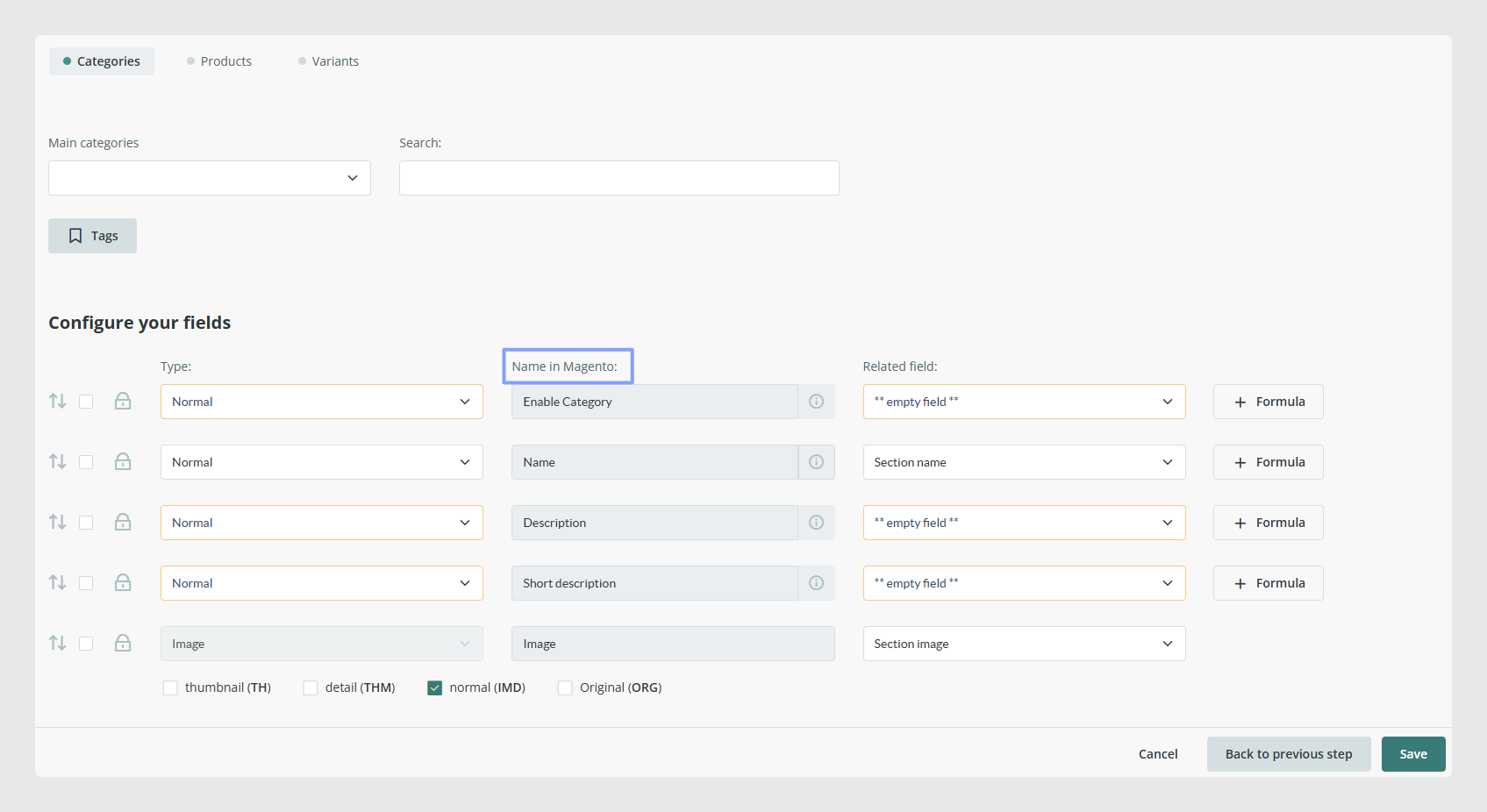
For products, the mandatory fields are SKU, Price, Name, and Categories.
The connector allows you to send additional fields in the Product and Variant tabs with the Add New Field button.
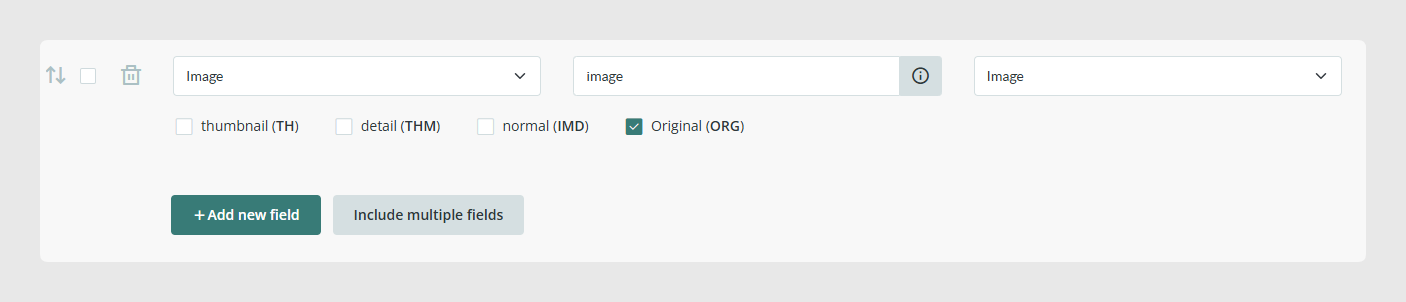
For this information to be synchronized correctly, these fields or attributes must already exist in your Magento store.
Added product and variant fields correspond in Magento to Product attributes and Configurable attributes respectively.
Best practices
Use formulas when you need to fill in fields that do not have a direct one-to-one match in Sales Layer.
Do not disable empty unmapped fields just to prevent synchronization. Empty fields that are not mapped will not be synchronized, modified, or deleted.
Before adding product or variant fields with Add New Field, make sure the corresponding attributes already exist in Magento.
For variant attributes, also check that they are included in Magento under Product Parameters and Format Configurable Attributes.
Make sure each attribute is assigned to the correct Magento Attribute Set for the product or variant. If the attribute is not assigned correctly, it will not be synchronized.
Was this article helpful?
That’s Great!
Thank you for your feedback
Sorry! We couldn't be helpful
Thank you for your feedback
Feedback sent
We appreciate your effort and will try to fix the article