Introduction & Access
AI Agents
The AI Agents area lets you create and run agents that work with your Sales Layer data. Depending on the agent type, they can translate content, improve text, generate new content, and, in future releases, apply smart business rules automatically.
Although AI Agents opens in a separate environment, it is connected to your Sales Layer PIM in the background, so the agents can work with your catalog data directly.
How to access AI Agents
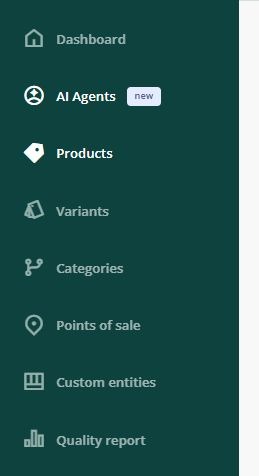
You can open AI Agents from the left-hand sidebar in Sales Layer.
When you click this option, you will enter a different environment. Even so, the agents you configure there will still work with your PIM data because both environments are linked internally.
Login details
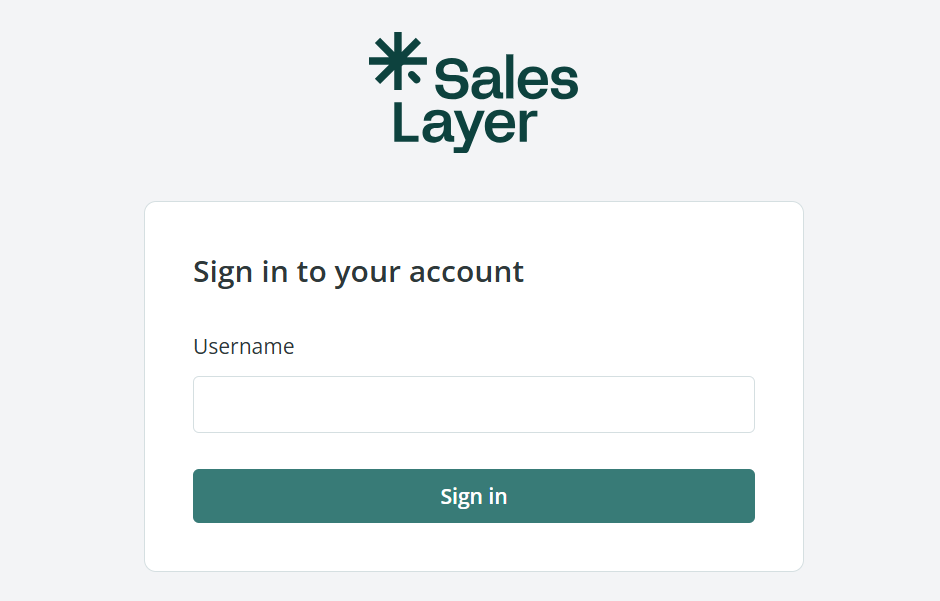
To access the platform, enter:
- your email address
- the password provided by the Sales Layer team
This password is separate from the password you use to log in to your Sales Layer account.
Access is granted per user. If more people on your team need access to AI Agents, contact the Support team so they can be added.
If this is your first time using the platform, you will need to reset your password before logging in.
Add your OpenAI API key
If you want to use the feature with your own OpenAI account:
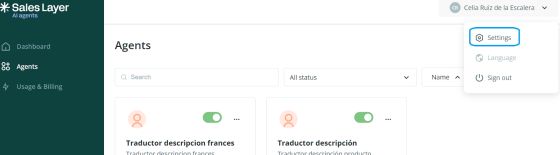
- Open the menu in the upper-right corner.
- Click Settings.
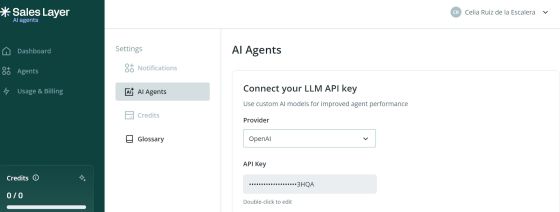
- Enter your API Key.
This lets you connect your own OpenAI account to the AI Agents environment.
Common Use Cases
You may need access to AI Agents when you want to:
- translate product content automatically
- improve text fields in bulk
- generate product content using existing catalog information
- generate content in one field based on information stored in other fields.using Smart Business Rules
Best practices
Before creating your first agent, make sure you can access the correct account and that your OpenAI API key has been added if you plan to use your own OpenAI setup. If several people in your team need access, request individual access for each user rather than sharing credentials.
