In Sales Layer, DAM allows you to manage the digital assets related to your products in one place, including images, PDF documents, datasheets, manuals, videos, and other files.
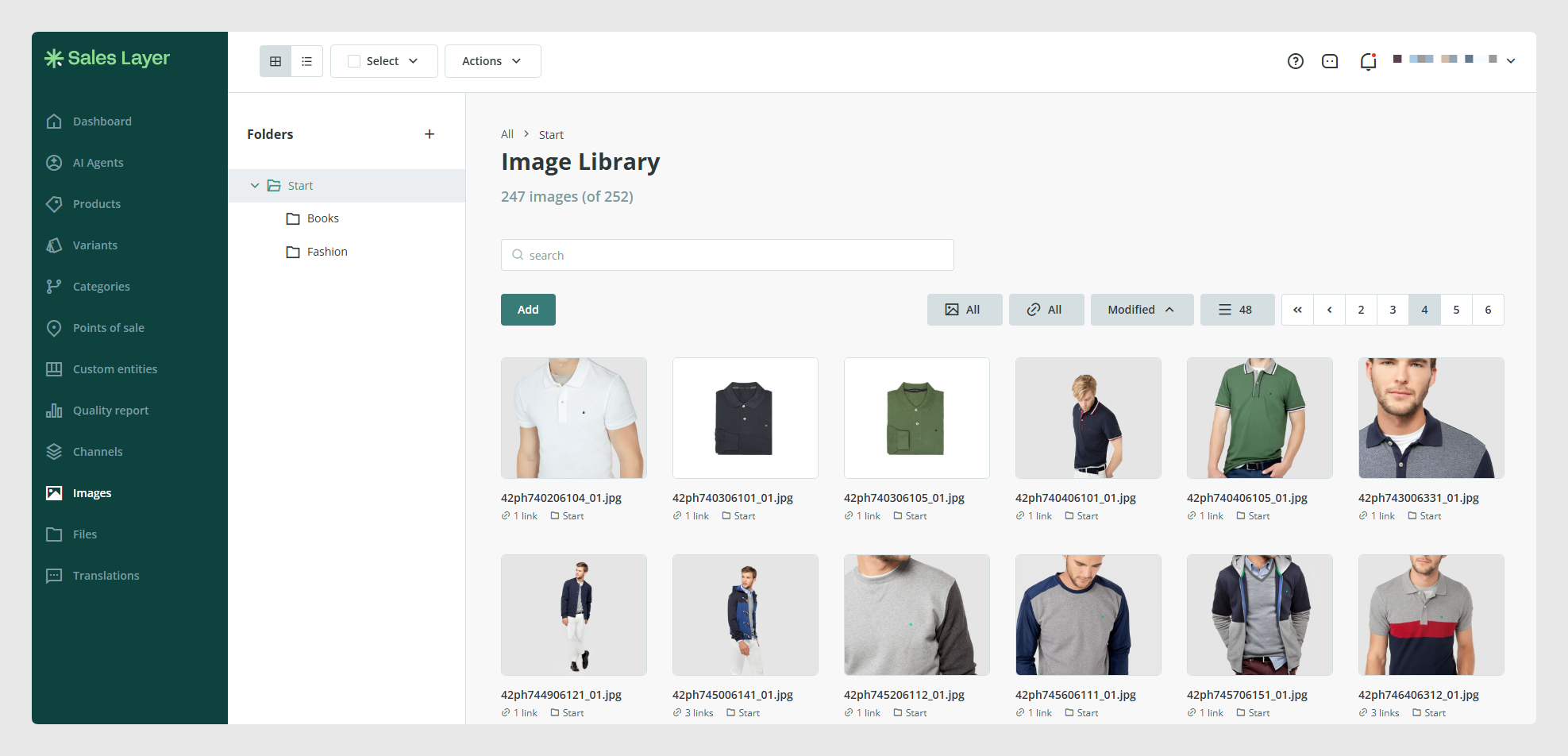
DAM helps you keep digital assets accessible and associated with the correct product information.
You can use it to:
- Centralize product images and files.
- Associate digital assets with categories, products, and variants.
- Manage main and additional product images.
- Add datasheets, manuals, certificates, and other documents.
- Prepare the assets that will be sent to online stores, marketplaces, catalogs, and other channels.
If your account includes DAM advanced, you can also:
- Create folders and subfolders to organize images and files.
- Import and export folder structures.
- Check the location and path of each asset.
- Automatically link files using patterns.
- Create distribution lists to share assets with external users.
How to use the image and file libraries
Sales Layer provides two main libraries for managing digital assets:
- The Images library, for photographs, illustrations, logos, and other visual assets.
- The Files library, for PDF documents, datasheets, manuals, certificates, videos, and other file types.
To access them, open the corresponding section from the Sales Layer main menu.
From these libraries, you can review the assets that have already been uploaded and perform different actions on them.
Depending on the type of asset and your permissions, you can:
- Upload new images or files.
- View assets in grid or list view.
- Use filters and tags to find assets.
- Open an asset to view its information.
- Select one or more assets.
- Download assets.
- Delete assets that are no longer needed.
- Download a list containing the library information.
- Check where an asset is being used.
When you select an image or file, you can access its details and review information such as its name, format, and the PIM items it is associated with.
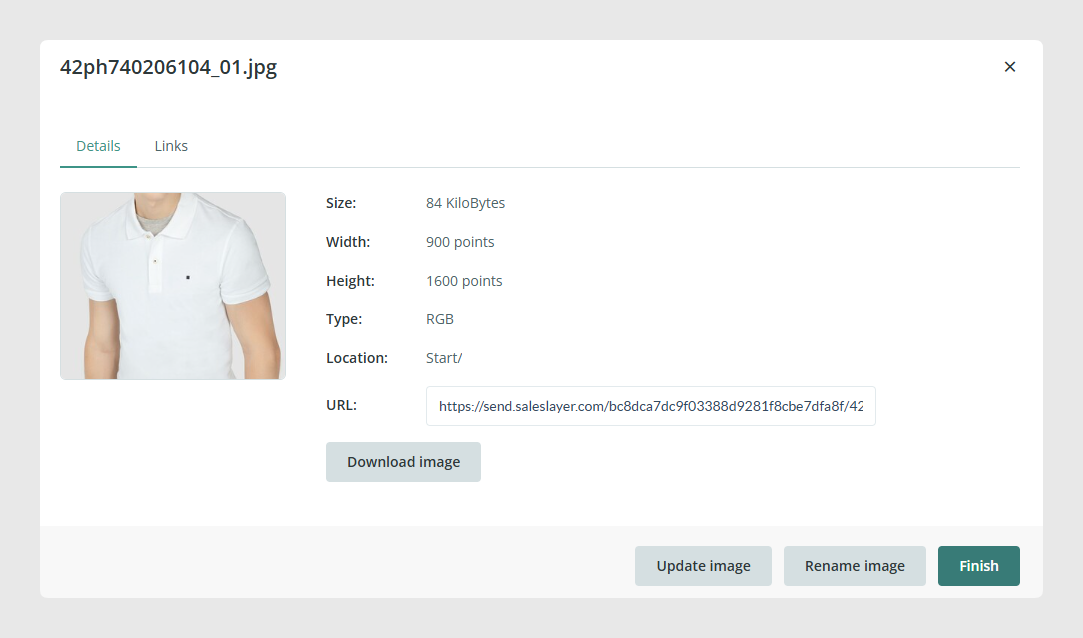
Before deleting an asset, check whether it is linked to any product, category, variant, or configuration.
How DAM relates to product information
Assets stored in the libraries can be used in image or file fields within categories, products, variants, and other PIM tables.
For example, a product can include:
- A main image.
- Several additional images.
- A PDF datasheet.
- An instruction manual.
- A certificate.
- A demonstration video.
Image and file fields can also be mapped in connectors to send these assets to online stores, marketplaces, catalogs, and other channels.
This allows the product data and digital assets for each product to be managed from the same environment.
Was this article helpful?
That’s Great!
Thank you for your feedback
Sorry! We couldn't be helpful
Thank you for your feedback
Feedback sent
We appreciate your effort and will try to fix the article