Sales Layer Agents now include additional options for choosing AI providers, managing provider-specific knowledge, and creating more flexible Business Rules.
These improvements make it possible to configure different AI providers within the same Agent and expand the types of data that Business Rules can use and modify.
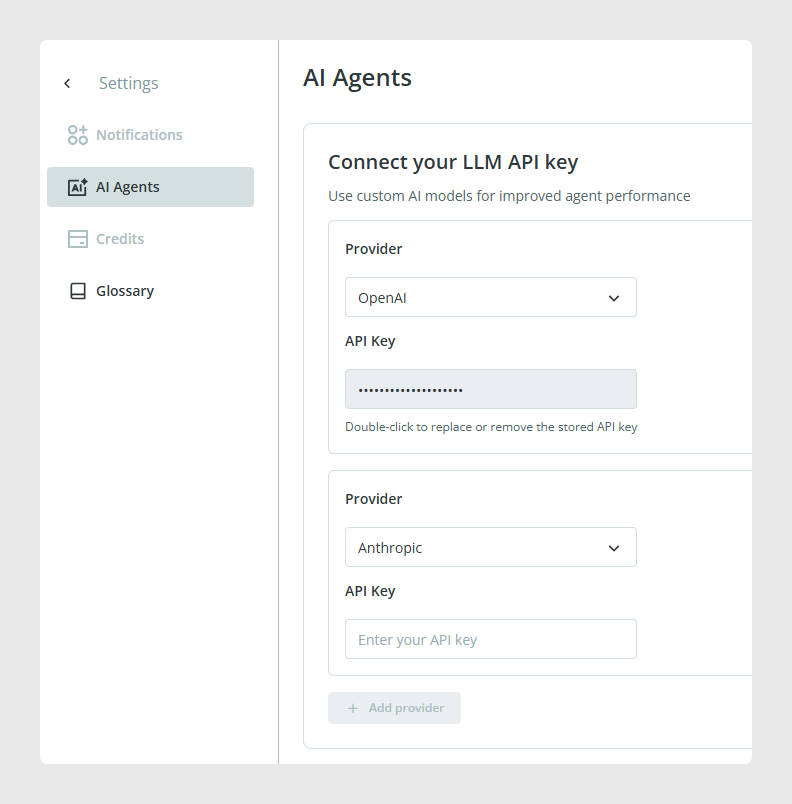
Use Anthropic as an AI provider
You can now configure an Anthropic API key and use Anthropic as the AI provider for actions within an Agent. To know more about configuration, read this article.
Combine AI providers in the same Agent
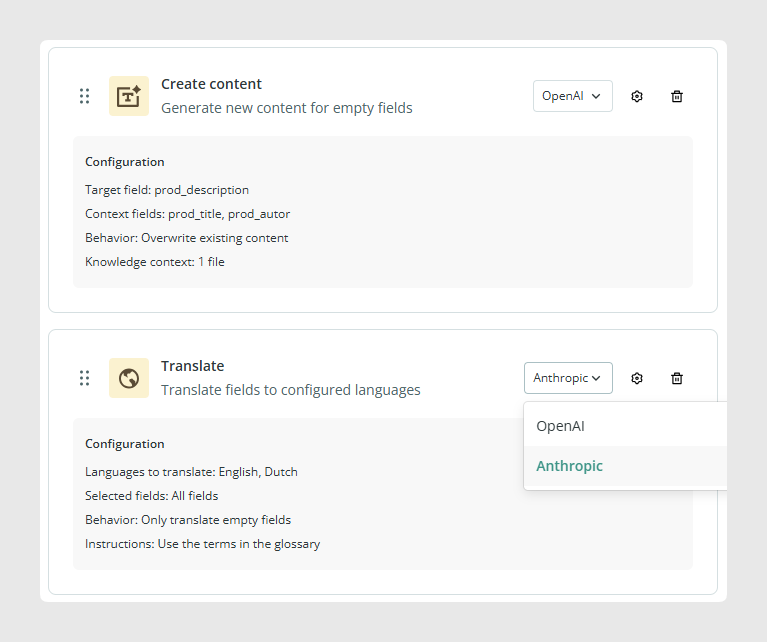
Because providers can be configured separately for each action, a single Agent can combine actions that use different AI providers.
This gives you more flexibility when building an Agent with several steps, as each action can use the provider you want to assign to it.
Knowledge Base support for Anthropic
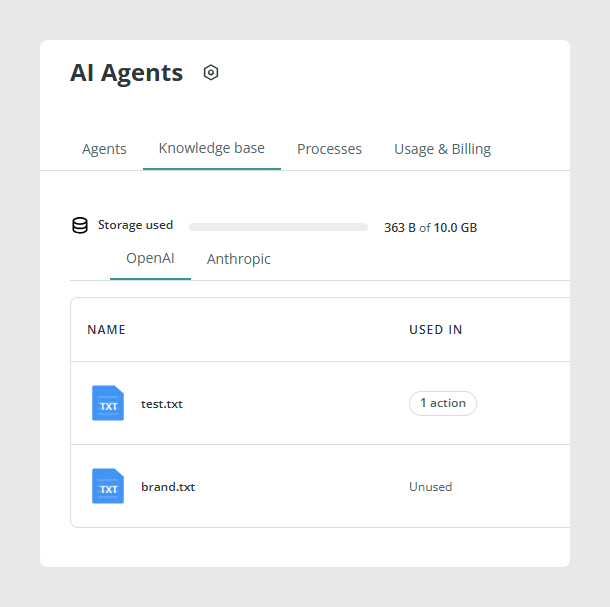
Anthropic can also use a Knowledge Base, allowing its actions to work with additional knowledge and context.
Knowledge bases and context are managed separately for each AI provider. Content configured for one provider is therefore separate from the content configured for another provider.
When an Agent combines different providers, make sure the appropriate Knowledge Base and context are configured for each one.
New Settings location
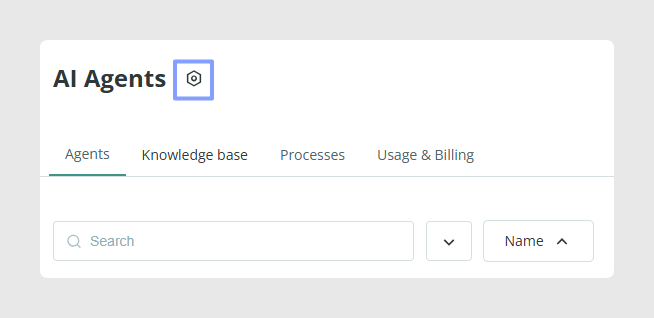
The Settings option on the Agents page has been moved, iIt now appears next to the page title.
Smart Business Rules improvements
Smart Business Rules now include several improvements designed to make formulas easier to create and expand the data that can be used in them.
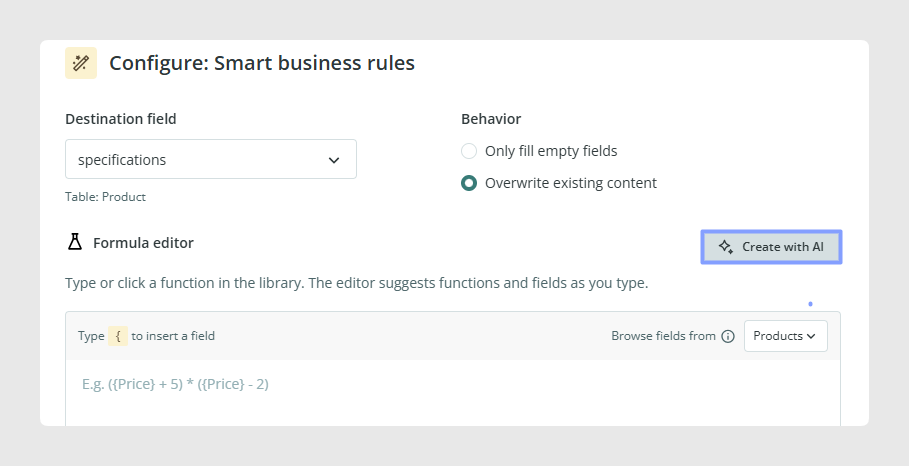
Create formulas with AI assistance
The Smart Business Rules formula editor now includes an AI help button.
You can describe the result you want using natural language and use the AI assistant to help create the corresponding formula.
This can make formula creation more accessible when you know the transformation you want to perform but are not sure how to express it as a formula.
Use the ROUND formula
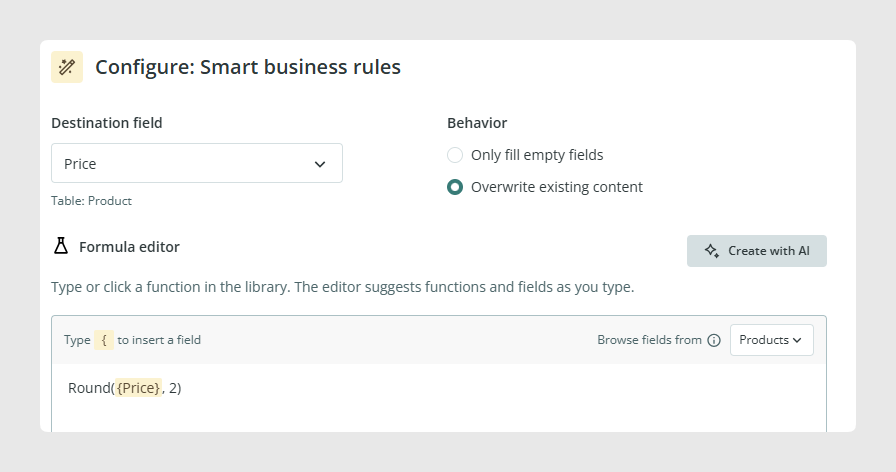
Smart Business Rules now support the ROUND formula.
This extends the formulas available when a rule needs to work with numerical values that require rounding.
Use reference fields as inputs
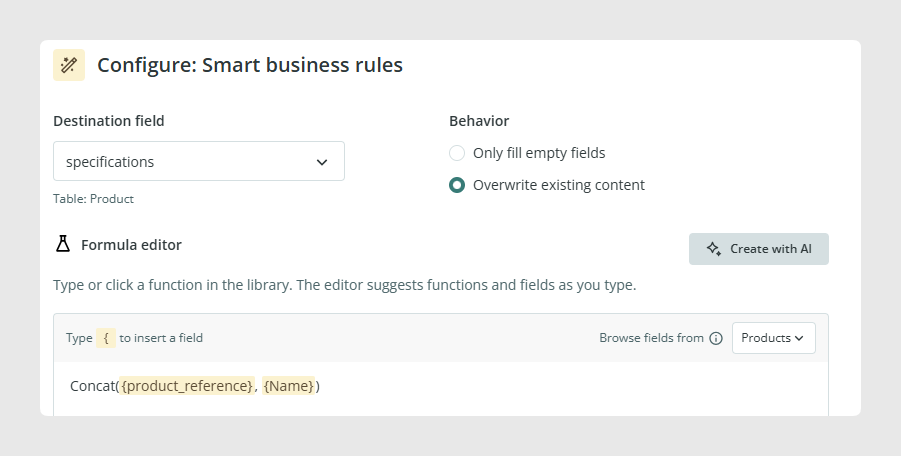
Fields with the reference type can now be used as inputs in Business Rules formulas.
For example, a Product Reference field can now be included as an input when building a formula.
Use status as a formula output
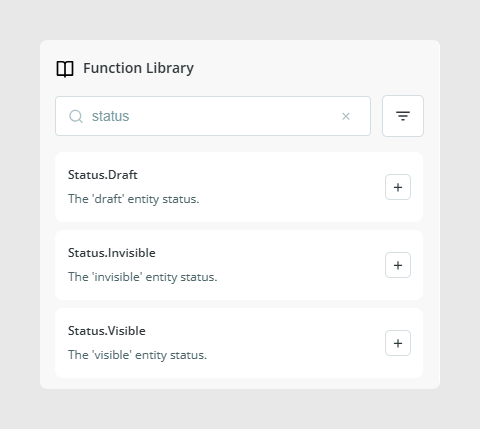
The status field can now be selected as an output for Smart Business Rules formulas.
This allows Smart Business Rules to use formula results to determine the value written to an item's status field.
Was this article helpful?
That’s Great!
Thank you for your feedback
Sorry! We couldn't be helpful
Thank you for your feedback
Feedback sent
We appreciate your effort and will try to fix the article