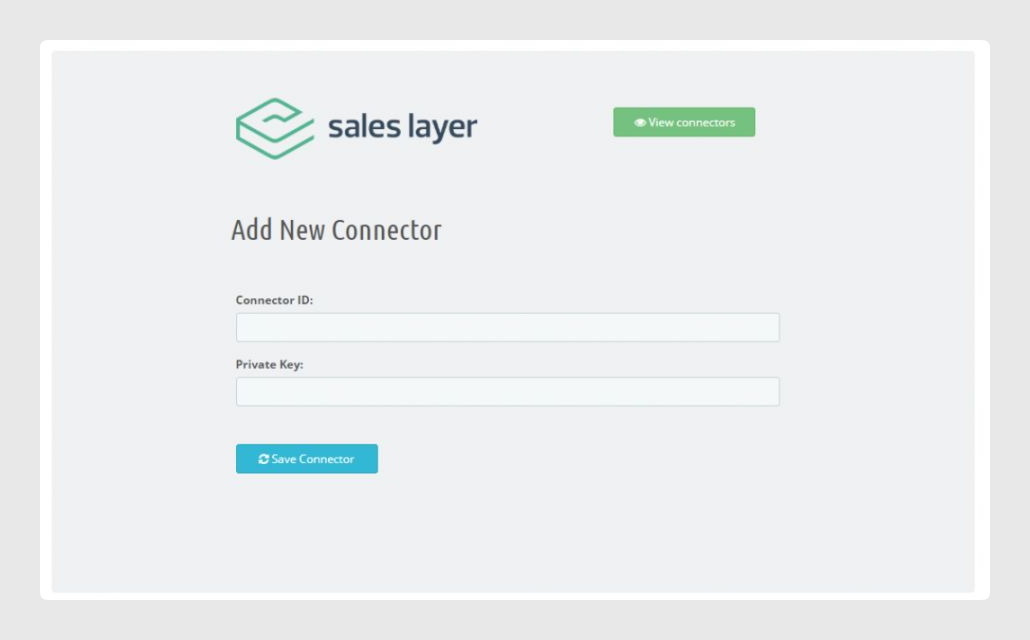
To create a new channel, click the Channels tab inside Sales Layer and select + New Connector.
To connect the Sales Layer plugin, copy and paste the credentials from the channel configured in Sales Layer and click Save connector.
When the ID and private key are correct, the new channel will appear on the channels page.
To work automatically, the plugin requires the PrestaShop cronjobs to remain active and working. The recommended cronjob frequency is 5 minutes. If those jobs are already being used for other tasks, you can set a period between 1 and 30 minutes.
The plugin automatically adjusts the time for the synchronization process. It calculates the difference between each execution and, if the server is not overloaded, calls the process again to keep synchronizing.
If there has been a server overload, the process will not execute automatically. Synchronization will continue when the cron is executed again in the background, so the website continues working normally.
Best practices
- The URL must be active and available for the Cron to work correctly. The store must be active and the domain must be available for the call.
- To keep a channel active, choose a value from the “Select” frequency. If the value is more than 24 hours, the preferred schedule option becomes active, so the channel can run at a specific time, for example at 3 AM. It will continue updating data changes since the last update.
Was this article helpful?
That’s Great!
Thank you for your feedback
Sorry! We couldn't be helpful
Thank you for your feedback
Feedback sent
We appreciate your effort and will try to fix the article