Image and file formulas are used when you need to extract URLs, names, sizes, or other asset properties from media fields in Sales Layer.
To extract specific values from fields that contain images or files, Sales Layer uses suffixes attached to the field key.
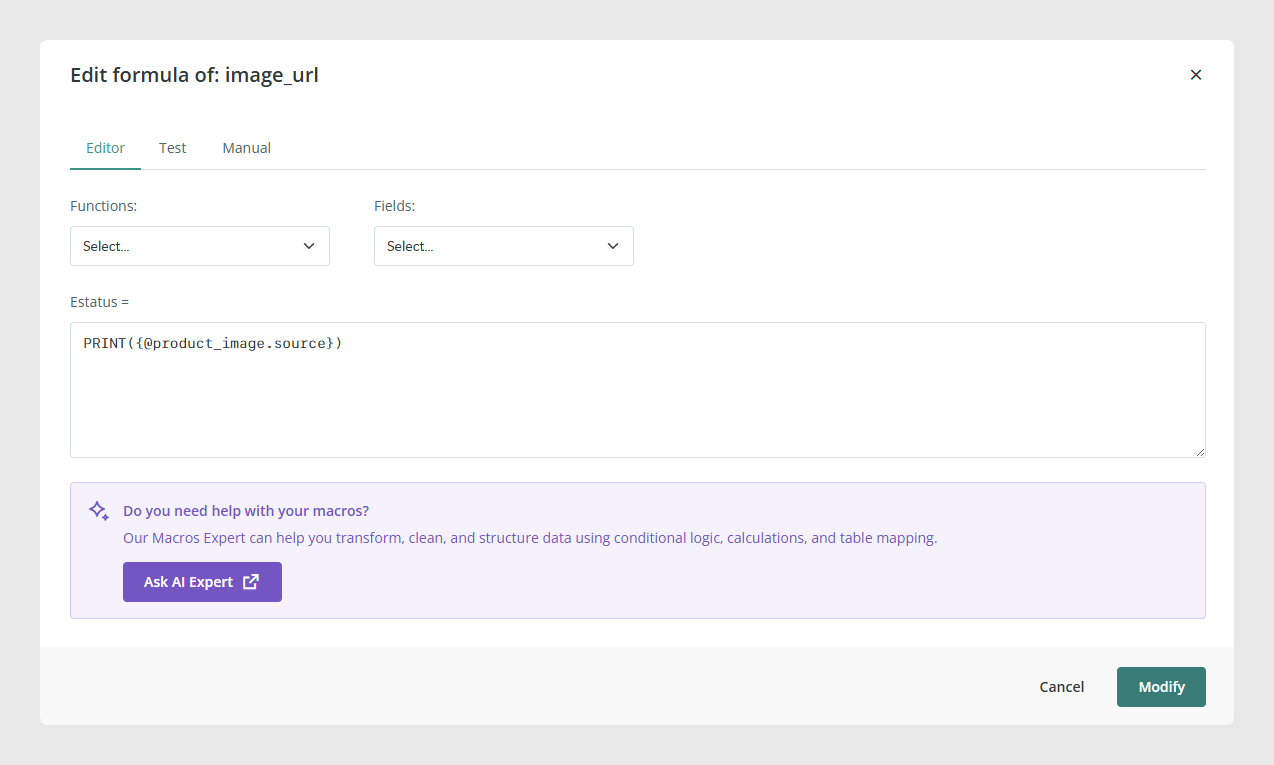
Main suffixes
.source returns the original uploaded URL.
.org returns the original file hosted by Sales Layer.
.name returns the file name.
.mime returns the MIME type.
.size returns the file size.
.width and .height return image dimensions.
Working with multiple images or files
If the field contains more than one asset, you can target either one position or all of them.
.1.org returns the first image or file.
.2.org returns the second image or file.
.all.org returns all original hosted files in the field.
.all.name returns all file names in the field.
This is useful when one product has several images and the destination channel needs either one specific image or the full media list.
Image sizes and generated versions
If you work with generated image sizes, you can combine the field key with the corresponding size suffix to return the version needed by the connector.
This is useful when the destination platform requires thumbnails, originals, or a specific generated cut.
Multilanguage media fields
In channels, you cannot extract image or file URLs from a multilanguage media field unless the required languages are enabled in the connector parameters.
Note: If a connector field is configured as an image/file type field, you cannot apply formulas to it directly. If you need to work with suffixes or formulas, configure the output as a normal field instead.

Common Use Cases
Export the exact URL of the original asset.
Return only the first product image for a marketplace feed.
Export all media URLs from a multi-image field.
Send asset names or dimensions to an external system.
Use a generated image size instead of the original file.
Best practices
Before configuring image and file output, decide whether the destination channel needs a real image/file field or a normal field with a formula result. If you need to manipulate URLs or extract asset properties, use a normal field and apply the suffix there. When working with multiple assets, test the output carefully to confirm whether the destination expects a single value or a full list.
Was this article helpful?
That’s Great!
Thank you for your feedback
Sorry! We couldn't be helpful
Thank you for your feedback
Feedback sent
We appreciate your effort and will try to fix the article