Product packs allow selling grouped products with dynamic attributes.
In the example from the article, a product pack called Salón Europa is sold, where the buyer can choose between 3 different cabinets with different attributes for each product:
- Cadiz Cabinet 150 cm
- Monaco Cabinet 50 cm
- Valencia Cabinet 45 cm
Instead of creating one field for each variant with its name, which would require many fixed fields in the connector, the attribute group names can be added as values in the fields dynamic_name and dynamic_value in the variants form.
Using dynamic_name and dynamic_value
Then, in the channel Variants tab, dynamic_name must be included in the mapping and the following formula must be added:

CONCAT("name:", {dynamic_name}, ";value:", {dynamic_value})This way, with two fields in the catalog, one for the name {dynamic_name} and another for the value {dynamic_value}, you can avoid creating multiple fields in variants.
The buyer can choose the products by purchasing a specific product name and only seeing the value of each attribute for each variant.
If dynamic_value contains the separator ;, it conflicts with the separators used internally to structure the data, so ; must not be used.
The article provides this replacement formula:
CONCAT("name:", {dynamic_name}, ";value:", REPLACE({dynamic_value}, ";", "X"))In this formula, X is the character used as the replacement.
Another example
The article also shows another way to use this functionality.
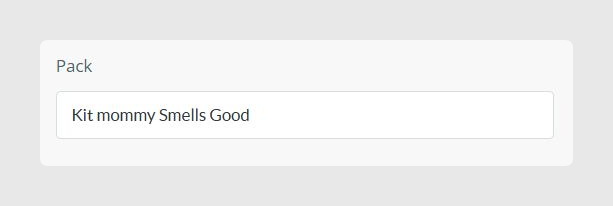
The Pack attribute of product p02 has a Product Pack value in the Products table. This works as dynamic_name.
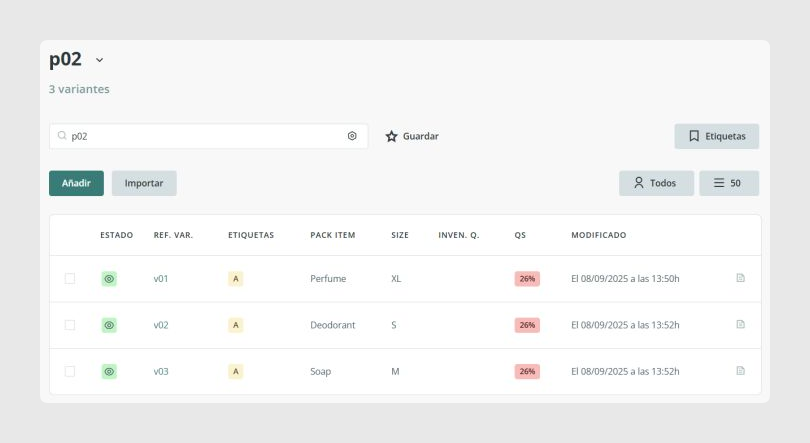
In the connector, the assignment formula in Variant output data is:
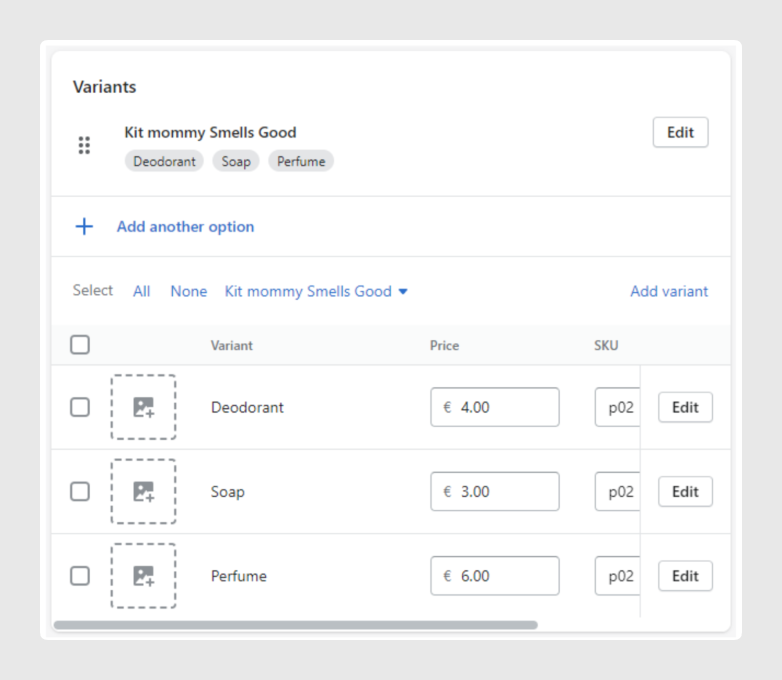
CONCAT("name:", {products.Pack}, ";value:", {Pack item})This creates a variant in Shopify with the name coming from the value in products.Pack, and its possible values coming from the value in Pack item for each Sales Layer variant.
For the example of product p02, the Shopify synchronization result is the following pack:
Was this article helpful?
That’s Great!
Thank you for your feedback
Sorry! We couldn't be helpful
Thank you for your feedback
Feedback sent
We appreciate your effort and will try to fix the article