A form is the screen where you view and edit an item’s information, for example a product. Sales Layer uses different forms to make it easier to manage different kinds of products by showing the right fields and layout for each type.
In Sales Layer, forms are linked to Attribute Sets, which are your product types. Each Attribute Set can have its own form structure and its own set of visible fields.
Where to edit forms
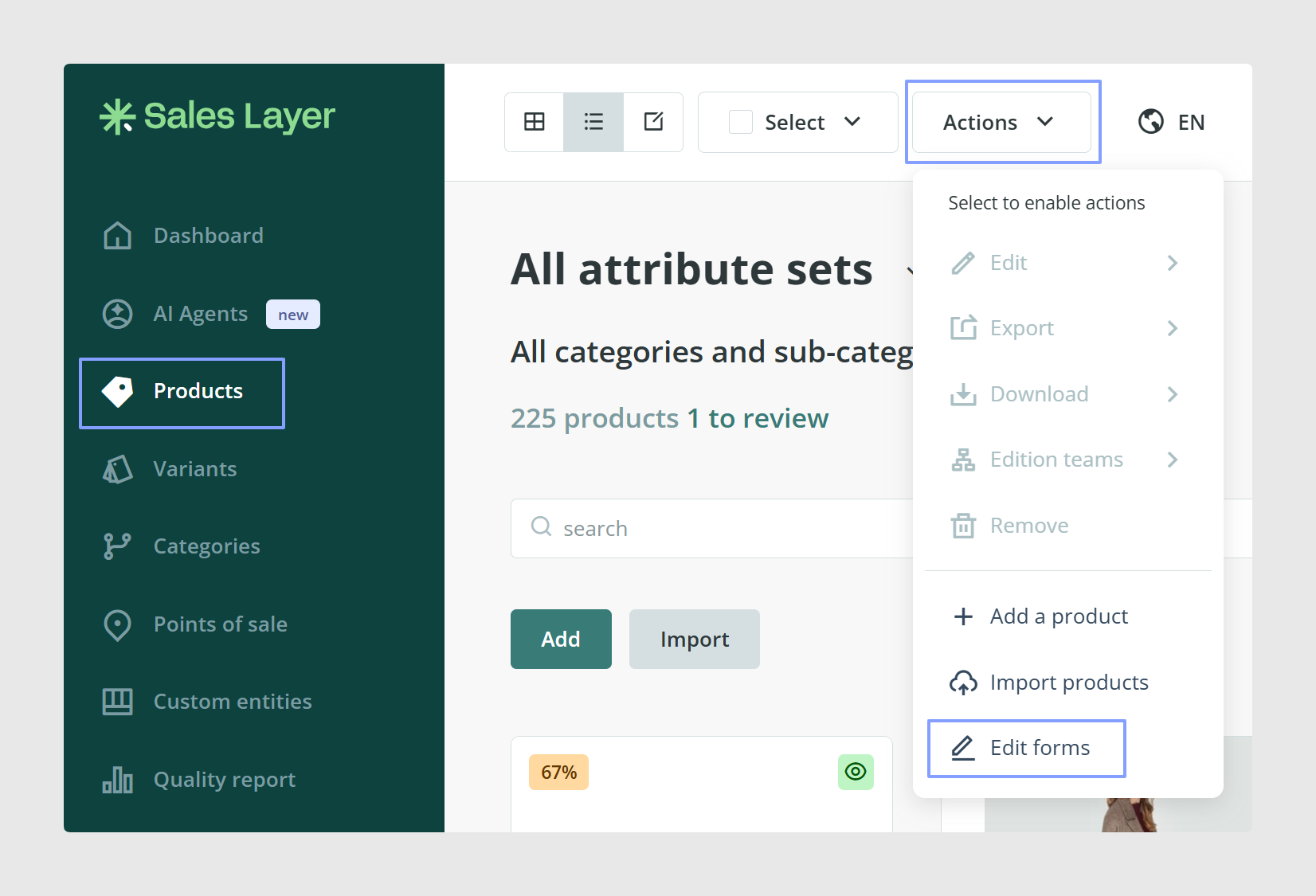
You can access the forms editor here:
Products → Actions → Edit forms
What you can do in the forms editor
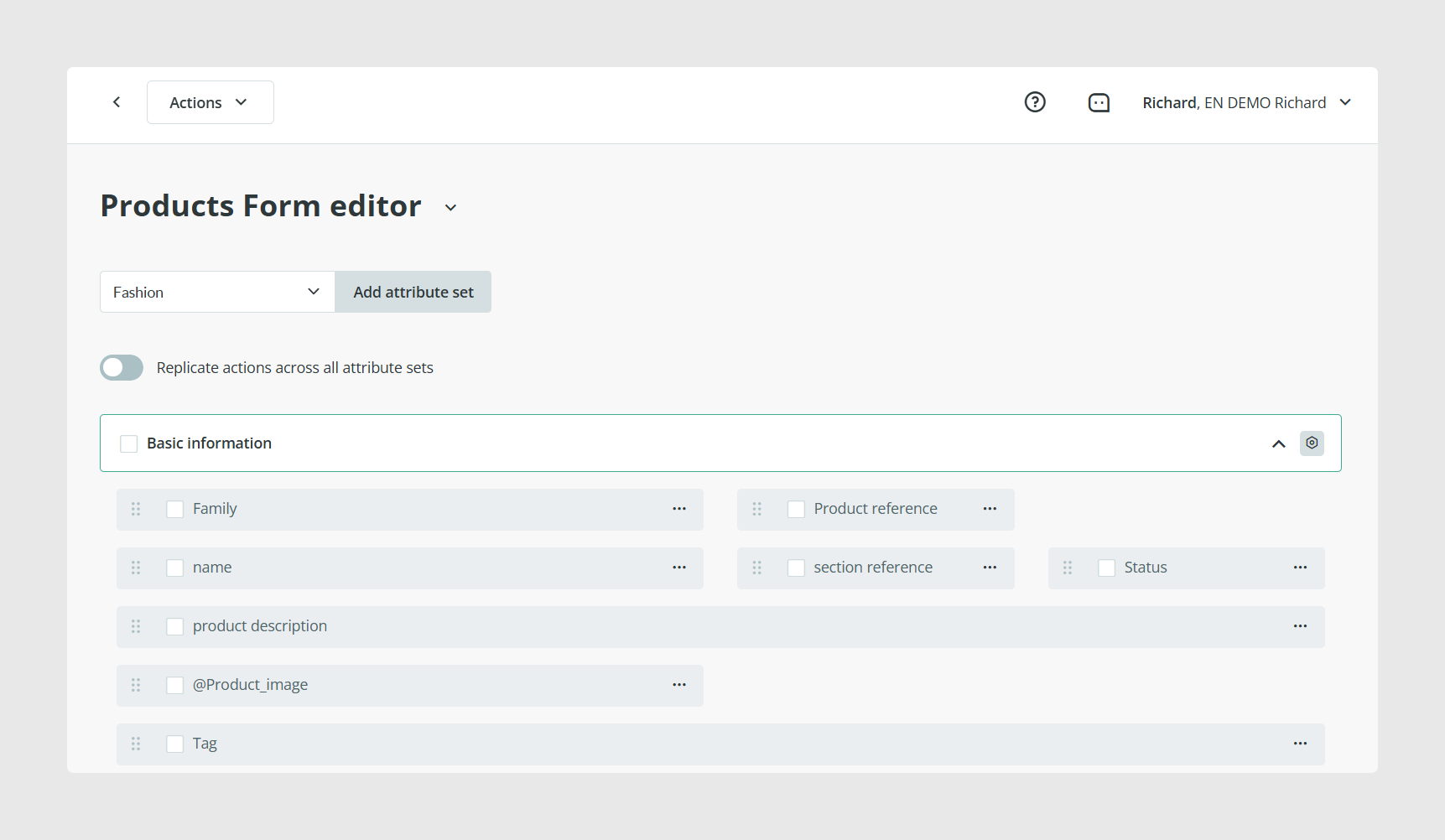
From the editor you can:
- Reorder fields by dragging them.
- Add new fields and add new pages or tabs.
- Create a field from scratch, or reuse a field that exists in another Attribute Set.
- Bring back unused fields into the form.
Related articles
See:
Was this article helpful?
That’s Great!
Thank you for your feedback
Sorry! We couldn't be helpful
Thank you for your feedback
Feedback sent
We appreciate your effort and will try to fix the article