The Import Connector works by reading the external file or API import configured in the connector and using that data to create or update content in Sales Layer.
Each time the connector runs, Sales Layer checks the configured source, reads the data, and applies the import behavior defined in the connector settings.
Synchronization and queue behavior
Once the connector is active, Sales Layer checks the file based on the selected synchronization frequency and queues the import process.
At the selected time, the file is added to the queue. The import does not start immediately. It begins when the process reaches its turn in the queue.
The total time needed to complete the import depends on the size of the file and the complexity of the formulas applied in the connector.
This also applies when you force a manual refresh. The refresh is added to the queue and starts when the process reaches its turn.
Manual refreshes
A manual refresh can be useful when you need to run the connector outside its regular schedule.
If you need to overwrite all content only once, use a manual refresh instead of changing the connector’s regular configuration. This helps avoid changing the normal behavior of the connector for future imports.
Updating fields managed by the connector
If a field is managed through an import connector, users should take caution when modifying it manually in Sales Layer.
For instance, if the connector is configured with the overwrite when importing as active and it refreshes the product description every night, any manual edits made during the day could be replaced during the next synchronization process according to the applied configuration.
Block connector-managed fields
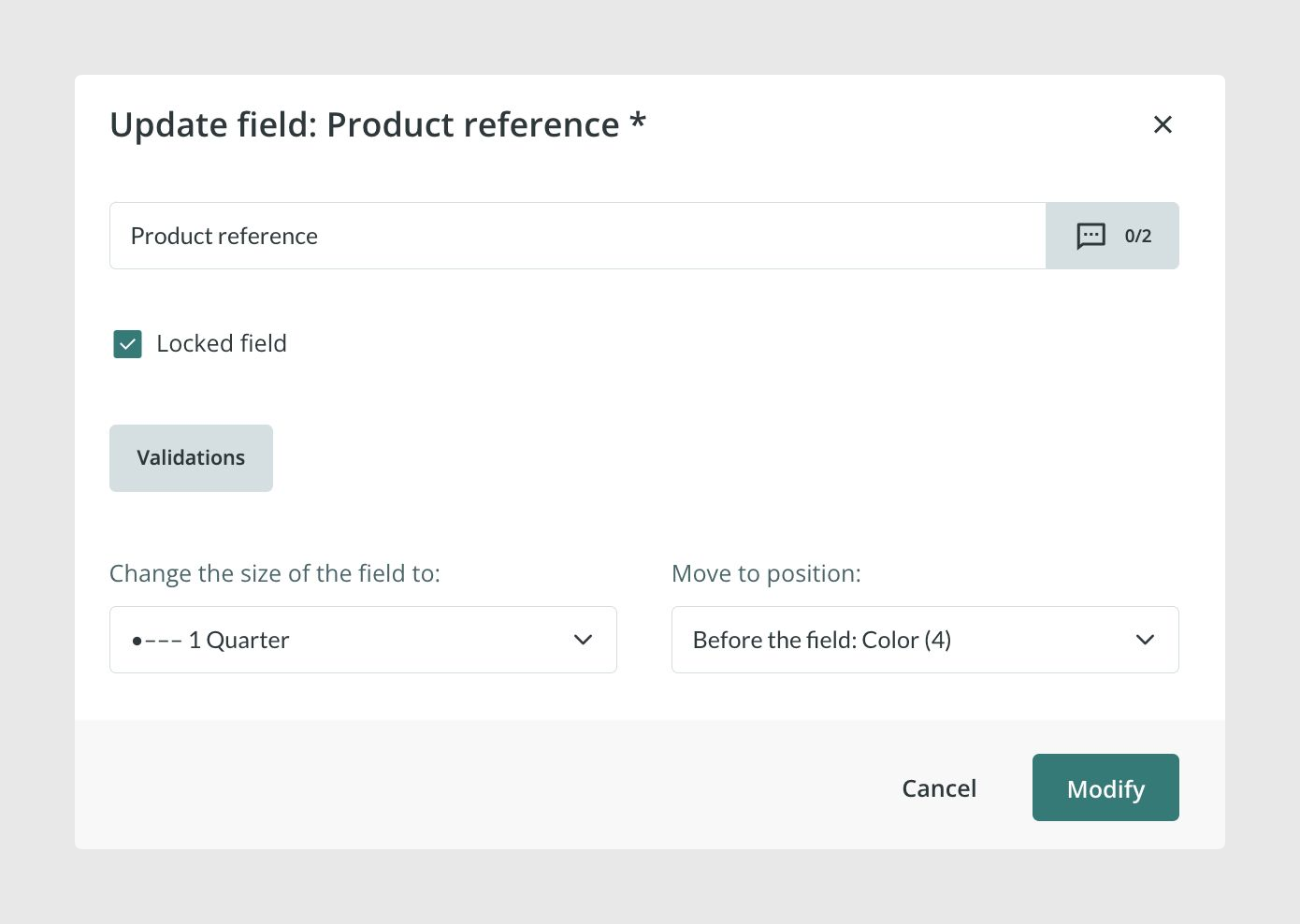
To avoid manual changes being overwritten, you can block fields that are managed by the connector.
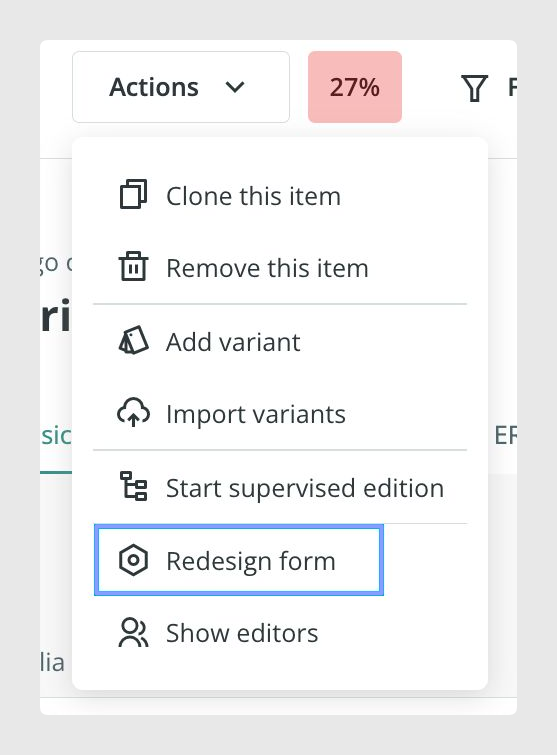
To do this, edit the form or Attribute Set and block the field. This prevents users from spending time changing content that will later be replaced by the Import Connector.
Add values without replacing existing content
For some fields, you can add new values without deleting the existing ones by using ++.
This is useful for fields where several values can be stored, such as categories or labels.
For example, if a product already belongs to the T-shirt category and you want to add the Promotions category without removing the previous one, you can add:
++ PROMOTION
This adds the new value without replacing the existing category assignment.
Use formulas to add values
You can also apply this behavior through a formula.
For example:
IF({PRICE} < 50, "++ PROMOTION")In this example, if the value in the PRICE field is lower than 50, the connector adds PROMOTION without removing the existing category or label value.
About stock data
Sales Layer is a product information management system, not a stock management system.
You can store stock values in Sales Layer like any other type of content, but it may not be suitable for stock updates that require immediate synchronization.
This depends on how the data is transferred:
- CSV imports are slower.
- API implementations can speed up the upload process.
Also, when product fields are updated, all affected products may be sent through API connectors where that information is managed. For this reason, updating stock data for a large number of products can reduce the speed of update processes.
Best practices
Before activating an automatic import, make sure users understand which fields are managed by the connector and which fields can be edited manually. Block fields that are regularly updated by the connector to avoid manual changes being overwritten. Keep formulas as simple as possible, especially when working with large files, and avoid using CSV imports for data that requires immediate synchronization, such as frequent stock updates.
Was this article helpful?
That’s Great!
Thank you for your feedback
Sorry! We couldn't be helpful
Thank you for your feedback
Feedback sent
We appreciate your effort and will try to fix the article