If you have installed a previous version of the plugin in the system, we highly recommend erasing the complete plugin folder before continuing with the new plugin installation. In many cases, updating the plugin can cause the same issues as a new installation. This means there are support limitations and requirements that may need to be handled by an implementer.
When installing the plugin, you may need an implementer with knowledge of both Sales Layer and this specific e-commerce channel.
To start the installation, download the plugin using the correct link for your account type:
In each repository, there is a link called “Download latest plugin version” and other relevant information.
Before starting, the URL extension must be installed so Magento can call and obtain information from Sales Layer. For more information, see the PHP cURL documentation.
Installation steps
- Unzip the downloaded module and copy the “Saleslayer” folder into the Magento root folder app/code on your server.
- From the Magento root folder, execute the following commands using a console:
php bin/magento setup:upgrade
php bin/magento setup:di:compile
php bin/magento setup:static-content:deploy
php bin/magento cache:clean
If there is an error with the var/di/ folder when running php bin/magento setup:di:compile, delete that folder and execute the command again.
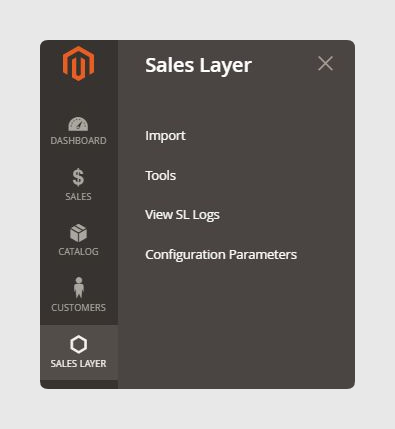
Once the plugin is installed, it will appear in the left menu below the “Customers” section.
Connector creation
Now you need to create the connector in Sales Layer.
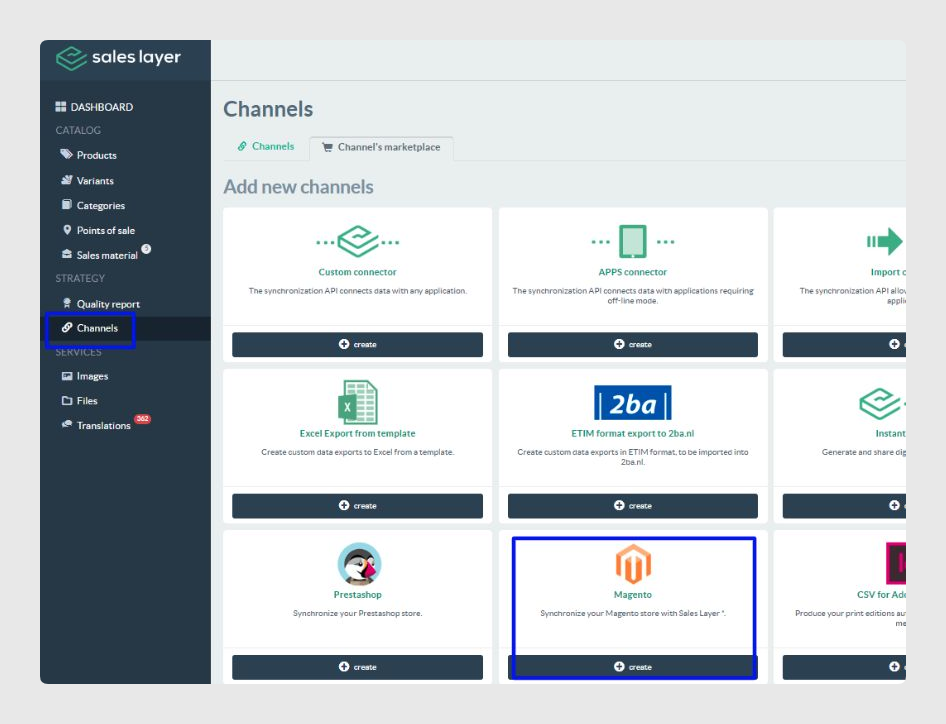
In the Channels section of your Sales Layer account, go to the Channel’s marketplace tab and select the Magento connector.
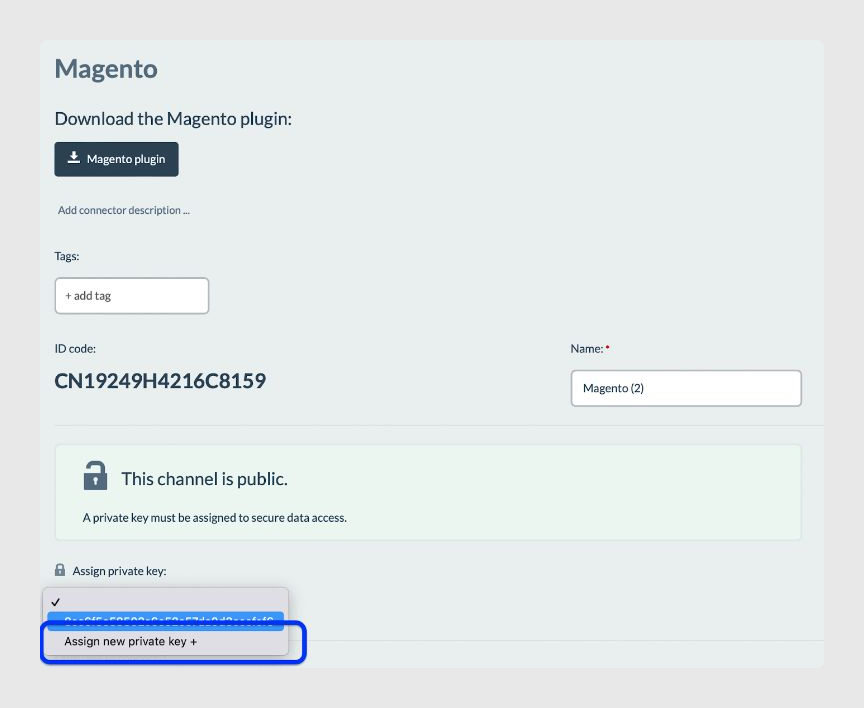
In the Parameters tab, assign a new private key as shown in the image below. Then click Continue and Save and Complete.
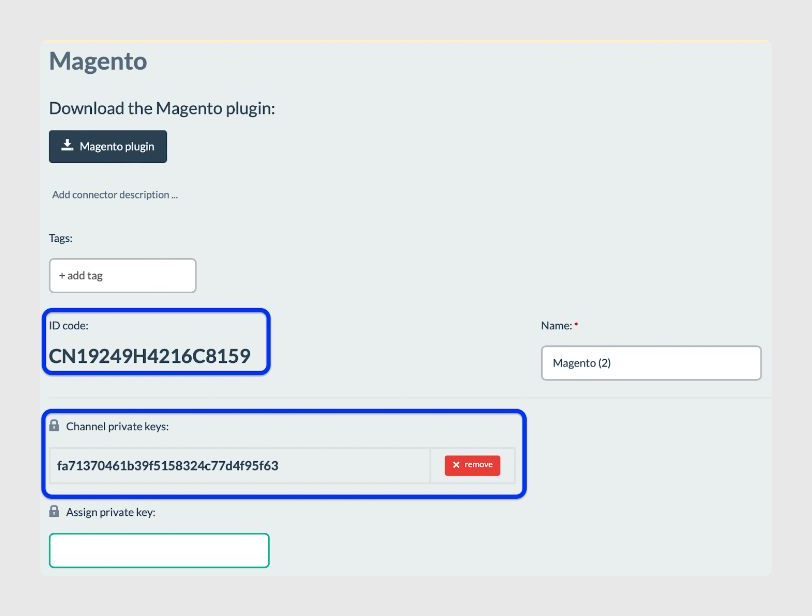
Keep the ID code and Channel private keys generated, because you will need them to continue with the e-commerce configuration.
Was this article helpful?
That’s Great!
Thank you for your feedback
Sorry! We couldn't be helpful
Thank you for your feedback
Feedback sent
We appreciate your effort and will try to fix the article