The Data Model Expert is an AI assistant that helps users analyze data, generate .xly files automatically, standardize catalog structures, and review existing forms for errors. This tool helps streamline product form configuration and supports the creation of accurate, consistent, and manageable product data models.
How to access the Data Model Expert
To access the Data Model Expert:
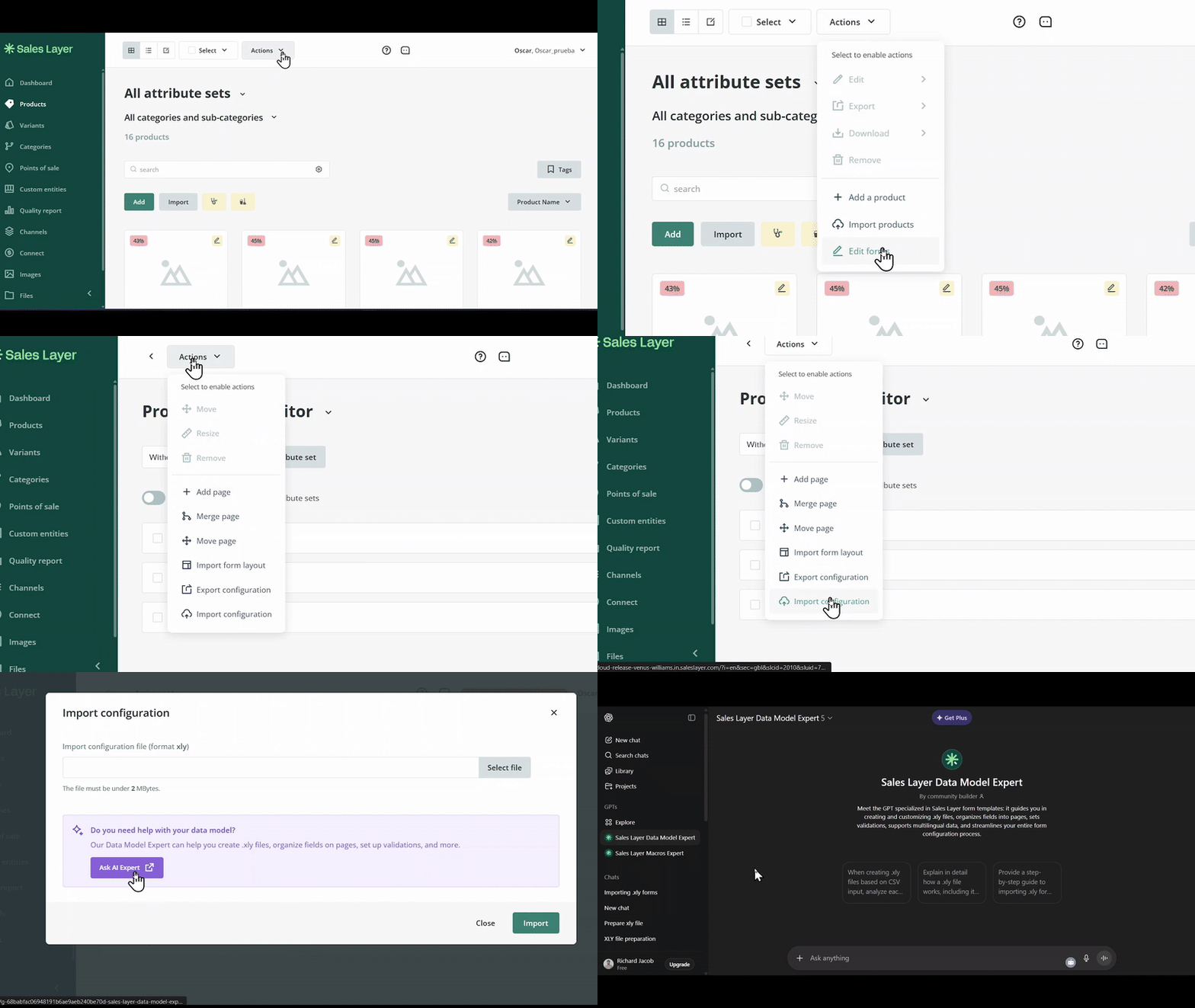
- Go to the Products tab.
- Open Actions.
- Select Edit Forms.
- In the product forms editor, open Actions again.
- Click Import Configuration.
- In the pop-up window, click Ask AI Expert to open the ChatGPT Data Model Expert. If you prefer to install it directly in your AI client as a skill, see ChatGPT skill installation or Claude skill installation for the installation instructions.
Example use case
You can use the Data Model Expert to generate an .xly file based on your product structure.
Example prompt:
Prompt: "Prepare an .xly file to be imported as Attribute Sets in Sales Layer based on my product structure."
When using this prompt, include your product data so the assistant can generate a structure based on the information provided.
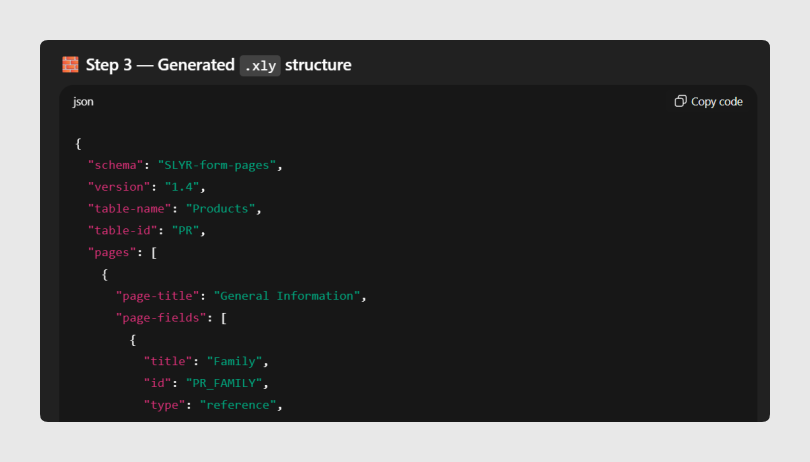
The Data Model Expert generates an .xly structure based on the provided data.
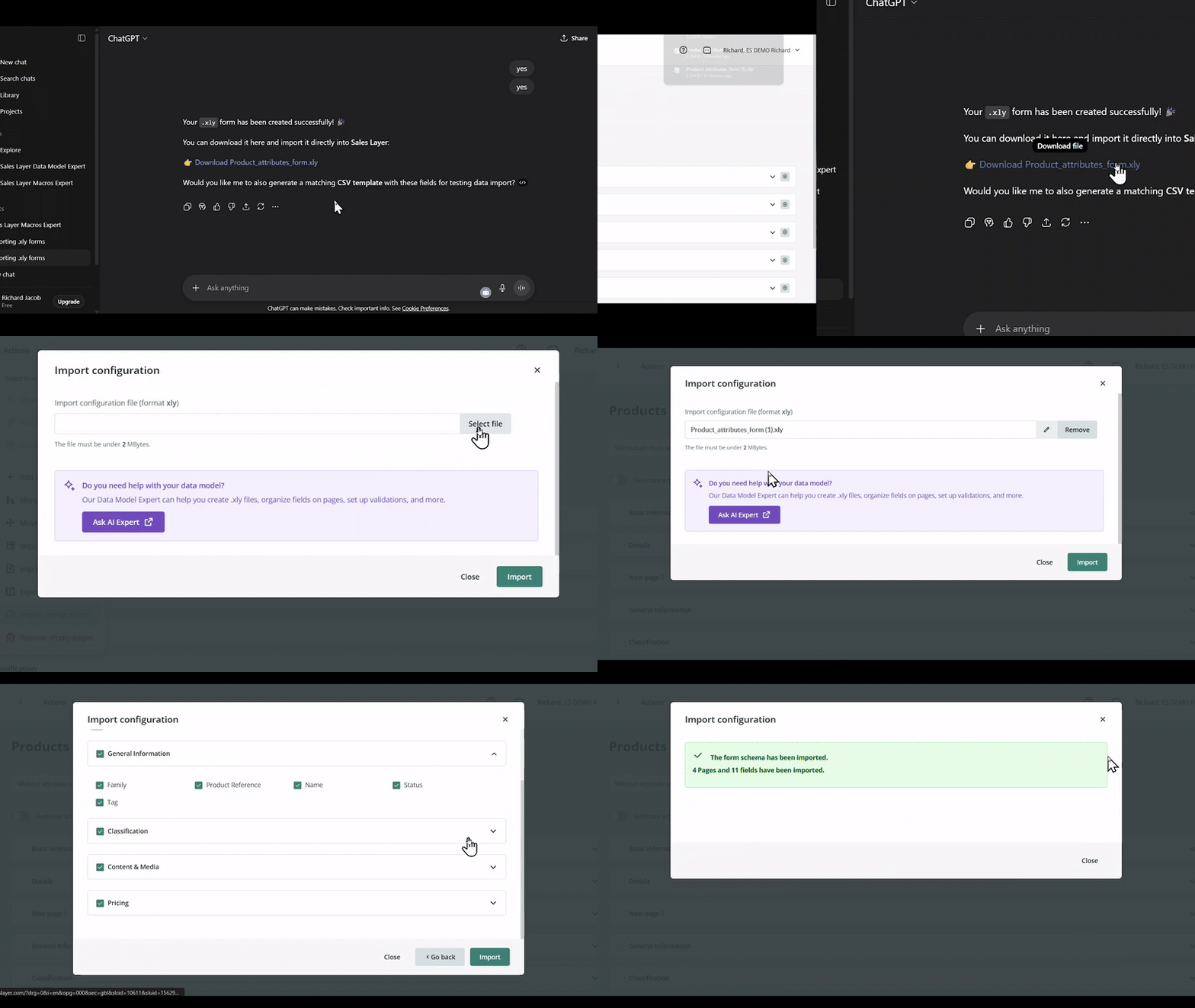
It is also possible to generate a downloadable .xly file, which can then be imported into Sales Layer.
Best practices
When using the Data Model Expert, write clear prompts and include enough context for the assistant to understand what you need. For data model creation, include a representative sample of your product structure so the generated .xly file matches your catalog needs as closely as possible.
Was this article helpful?
That’s Great!
Thank you for your feedback
Sorry! We couldn't be helpful
Thank you for your feedback
Feedback sent
We appreciate your effort and will try to fix the article