The Text Improvement Agent helps improve existing text stored in your Sales Layer catalog.
You can use it to correct mistakes or refine the wording of content in the default language.
How to add a Text Improvement Agent
To create this agent:
- Open Agents from the left-hand menu.
- Create a new agent.
- Go to the Actions tab.
- Click Add action.
- Choose Improve texts from the list of available actions.
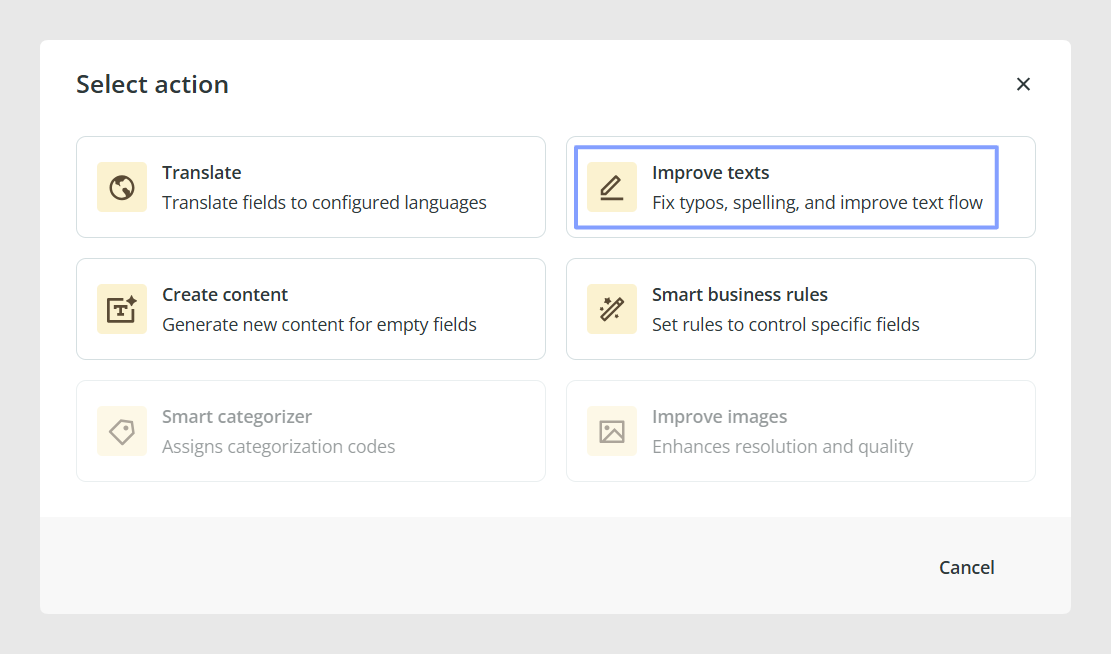
Once the action is selected, a configuration window will open so you can define how the agent should work.
Choose which fields to improve
Choose whether the agent should work on:
- All text fields
- Specific text fields
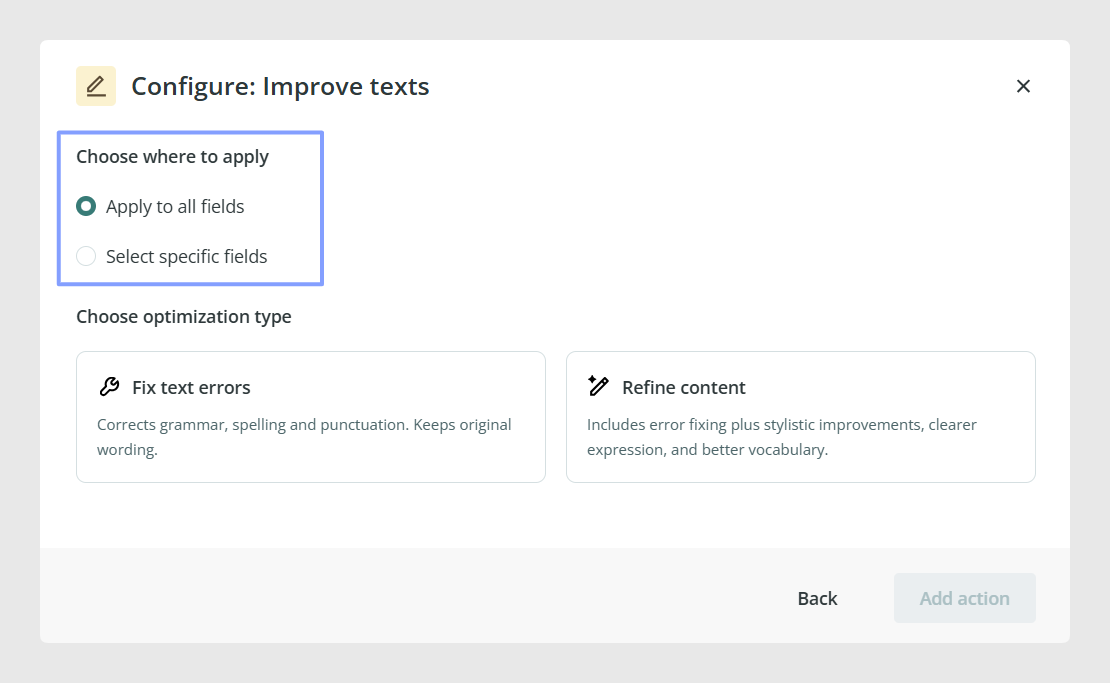
The improvements are applied only to fields in the default language.
If you choose specific fields, you can decide exactly which content the agent should review.
Choose the improvement mode
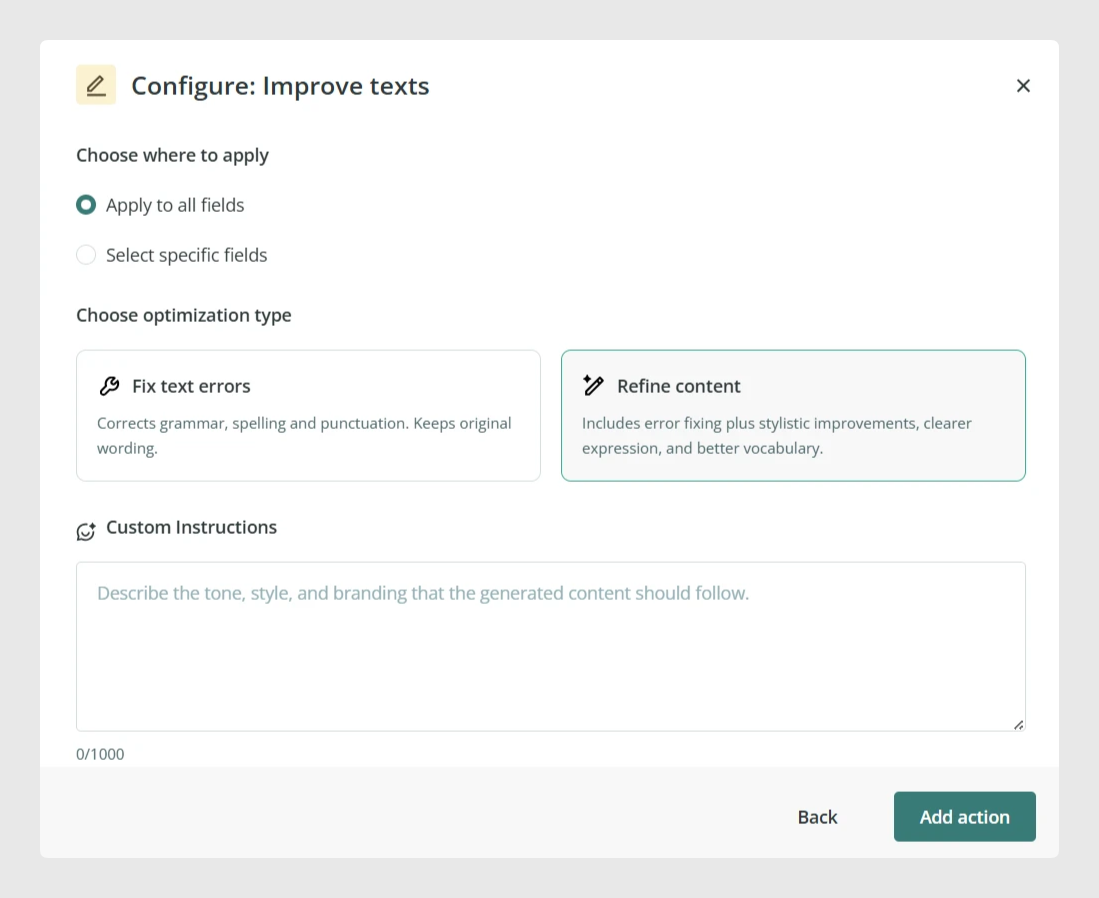
After selecting the fields, choose one of the two available improvement options.
Fix text errors
This option corrects typos, punctuation, grammar, and spelling mistakes while keeping the original wording as close as possible.
Use this option when you only want to clean up the content without changing its style or meaning.
Refine content
This option improves the writing style in addition to correcting possible grammar, spelling, punctuation, and typo issues.
It is a better option when you want cleaner, more polished text instead of only basic corrections.
When this option is selected, a Custom instructions text box will appear. You can use this box to give the agent more specific guidance on how the content should be improved. For example, you can ask it to keep a specific tone, make the text more concise, or adapt the wording to a particular style.
Finish the setup
Once you have chosen the fields and the improvement mode:
- Click Add action.
- Click Next to continue creating the agent.
- Continue to the final step of the agent setup.
- Add the name and description.
- Create the agent.
If review is enabled, you will be able to check the suggested changes before applying them.
Common Use Cases
The Text Improvement Agent is useful when you want to:
- Correct spelling, grammar, punctuation, or typo mistakes in catalog content
- Improve the quality of product descriptions
- Standardize text quality across many items
- Refine existing copy without rewriting it manually
- Apply specific improvement instructions to selected text fields
Best practices
If you only need to clean up content without changing its meaning, use Fix text errors. If you want more polished wording, choose Refine content and use the Custom instructions box to guide the agent. For first tests, apply the agent to a small set of items and enable review so you can compare the changes before applying them in bulk.
Was this article helpful?
That’s Great!
Thank you for your feedback
Sorry! We couldn't be helpful
Thank you for your feedback
Feedback sent
We appreciate your effort and will try to fix the article