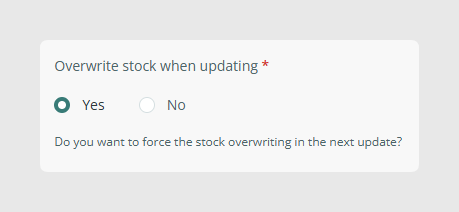
To manage inventory through the connector, first activate the Overwrite stock option in the connector parameters.
Enable stock overwrite
Before sending stock values to Shopify, go to the connector Parameters tab and enable Overwrite stock.
Map the inventory fields
After that, configure the fields needed so the connector can manage stock-related information correctly.
- tracked: Defines whether stock tracking should be enabled. This field was previously called inventory_management.
- yes: allows the connector to set the stock quantity. This value is required if you want to send inventory_quantity.
- no, empty, or null: prevents the connector from setting the stock quantity. Use this when stock is not sent through the connector.
- If tracked is set to yes and Overwrite stock is disabled, the item will be synchronized with stock set to 0.
- inventory_quantity: Stock quantity depending on the selected location.
- inventory_policy: Defines whether customers can place orders when the item is out of stock. This field must be mapped to a text field with one of these values:
- deny: customers cannot place orders for out-of-stock products.
- continue: customers can place orders for out-of-stock products.
For more detailed information about inventory behavior in Shopify, refer to Shopify’s official documentation.
Was this article helpful?
That’s Great!
Thank you for your feedback
Sorry! We couldn't be helpful
Thank you for your feedback
Feedback sent
We appreciate your effort and will try to fix the article