Introduction and data structure
The Sales Layer API includes required parameters and also several optional parameters. This example shows how these optional parameters affect the export response when you use the SDK.
The parameters used here are:
group_category_id: controls how multi-category products are exported. If the value is false and a product belongs to two categories, the same product is exported twice, once for each category.first_parent_level: controls whether the parent item of a modified item is also exported. For categories, this means higher categories. For products, it means the linked categories. For variants, it means the parent product.same_parent_variants: controls whether all variants that share the same parent are exported when one of those variants is modified.
This example uses the same connector created in Example 1, with the same tables and the same visible-status filter.
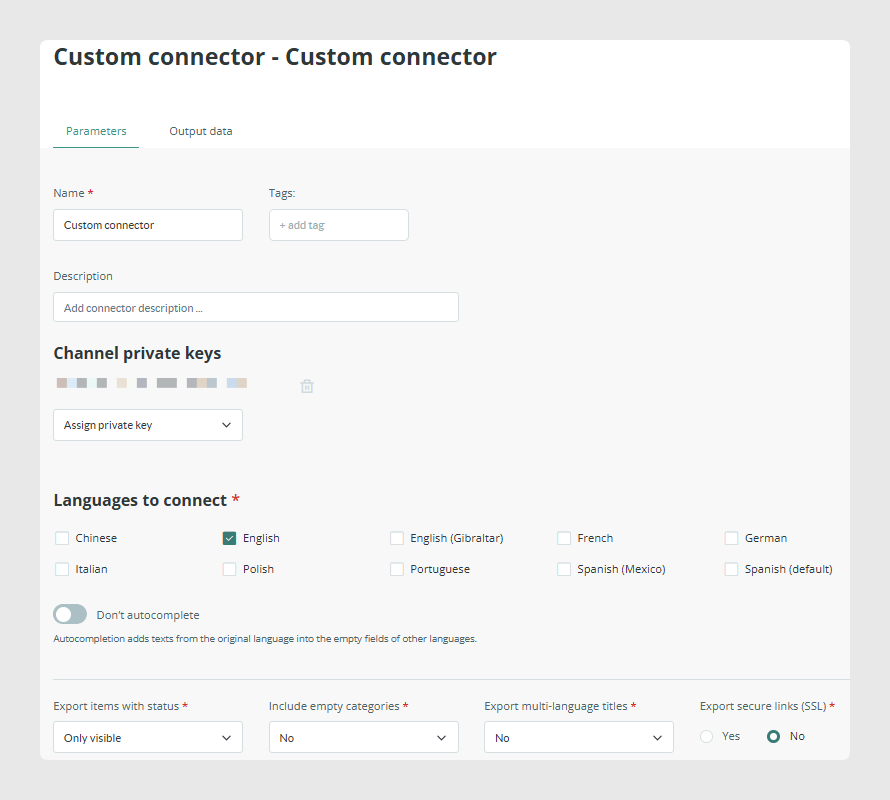
To make the result easy to read, the example uses a small set of visible items: 14 categories, 3 products, and the visible variants of one of those products.
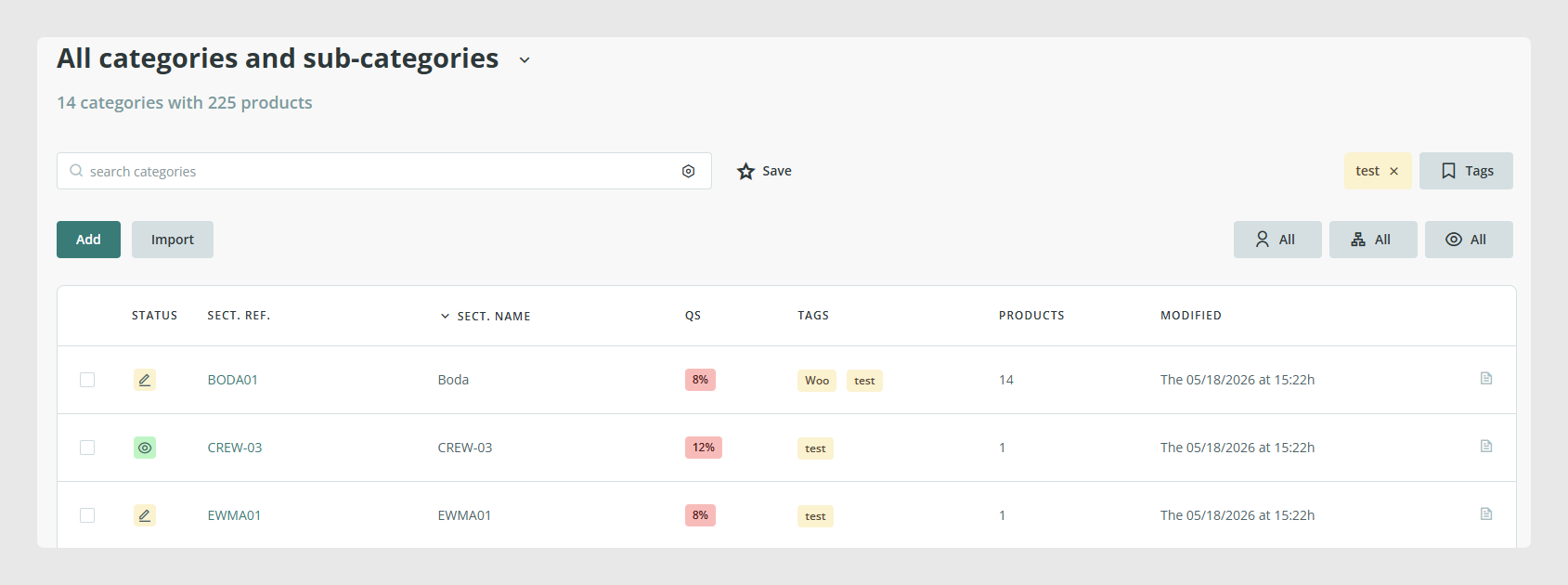
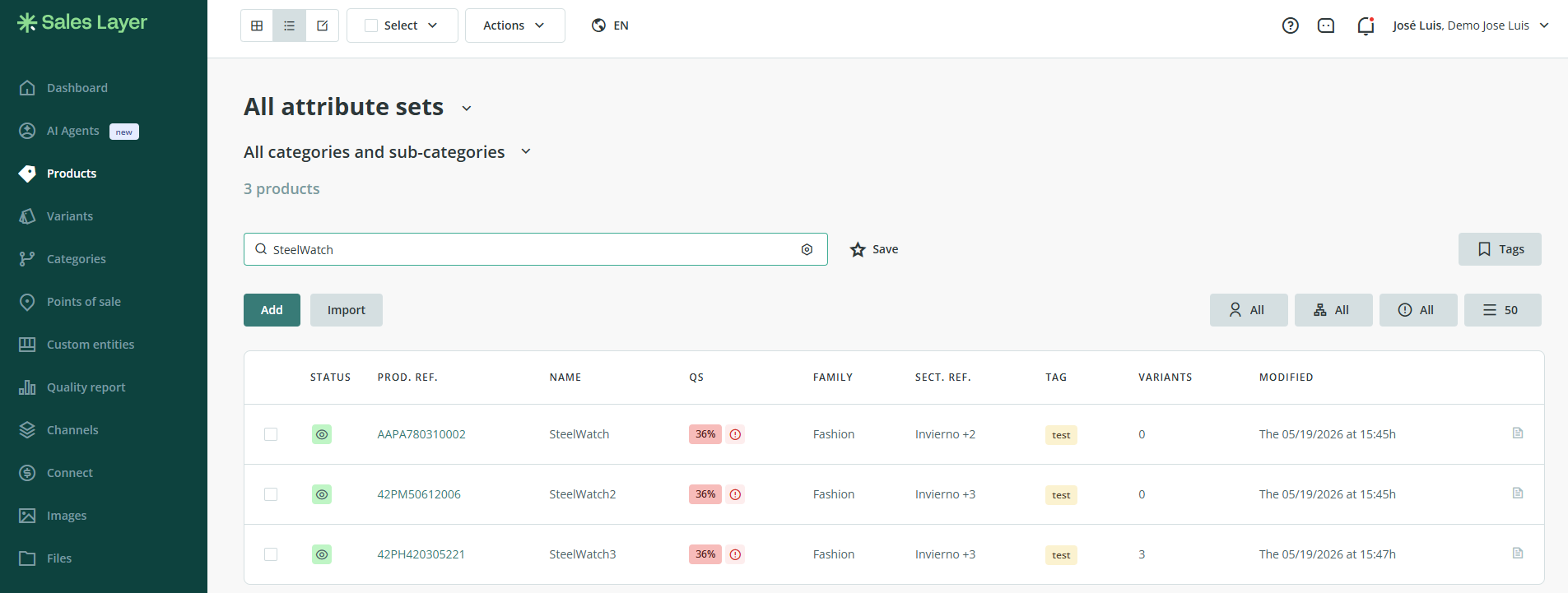
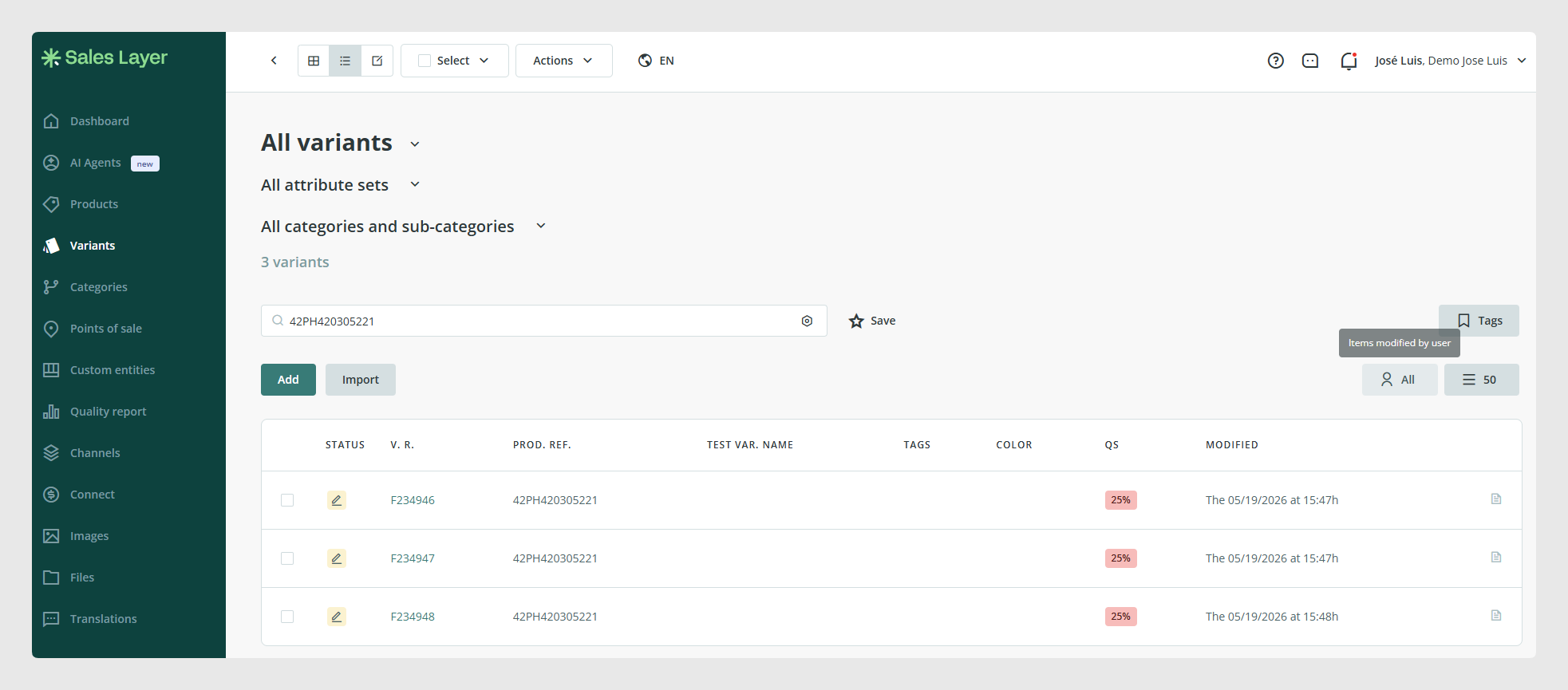
The product AAPA780310002 is used to test group_category_id, the product 42PM506120061 is used to test first_parent_level, and the variants of the product 42PH420305221 are used to test same_parent_variants.
Code
The script creates a SalesLayer_Conn() object, sets the three optional parameters through the SDK, and then calls get_info().
<?php
define('LOC_BASE', dirname(__FILE__) . '/');
require(LOC_BASE.'SalesLayer-Conn.php');
require(LOC_BASE.'lib/nice_r-master/Nicer.php');
?>

<!DOCTYPE html>
<html dir="ltr" lang="en-US">
<head>
    <link rel="stylesheet" type="text/css" href="lib/nice_r-master/nice_r.css?version=<?php echo filemtime(LOC_BASE.'lib/nice_r-master/nice_r.css'); ?>"/>
    <script type="text/javascript" src="lib/nice_r-master/nice_r.js?version=<?php echo filemtime(LOC_BASE.'lib/nice_r-master/nice_r.js'); ?>"></script>
</head>

<body>
    <?php

    //SL connector credencials
    $connector_id = 'CN12347H3308C4486';
    $secret_key = '7aeb575d9bf15bfa238e8f01842417a2';

    $last_update= "1597958324";

    //Create object with the credentials on the connector in SL
    $SLConn = new SalesLayer_Conn ($connector_id, $secret_key);

    $SLConn->set_group_multicategory(true);
    $SLConn->set_first_level_parent_modifications(true);
    $SLConn->set_same_parent_variants_modifications(true);

    $SLConn->get_info($last_update);

    if ($SLConn->has_response_error()) {
        echo "<h4>Error:</h4>\n\n Code: ".$SLConn->get_response_error().
             "<br>\nMessage: ".           $SLConn->get_response_error_message();
    } else {
        echo "<h4>Response OK</h4>\n".
             "<p>".
             "API version: <b>".            $SLConn->get_response_api_version()          ."</b><br />\n".
             "Time: <b>".                   $SLConn->get_response_time('unix')                 ."</b><br/>\n".
             "Default language: <b>".       $SLConn->get_response_default_language()     ."</b><br/><br />\n".
             "</p>";

        //Print API response
        $n = new Nicer($SLConn->get_response_table_data());
        $n->render();
        echo "<hr/>";
    }
    ?>
</body>
</html>
The three SDK methods are:
set_group_multicategory()forgroup_category_id.set_first_level_parent_modifications()forfirst_parent_level.set_same_parent_variants_modifications()forsame_parent_variants.
All three methods receive a Boolean value. Depending on whether the value is true or false, the export changes.
Execution and results
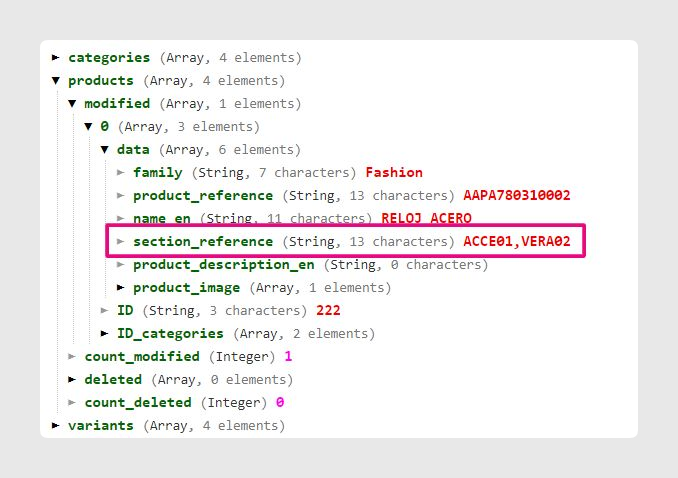
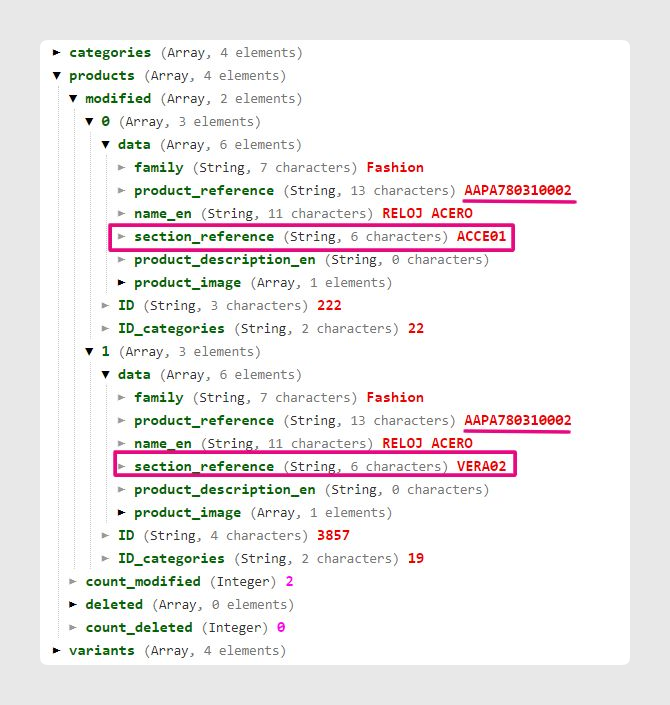
With group_category_id, a multi-category product behaves differently depending on the parameter value. The product with reference AAPA780310002 belongs to two categories.
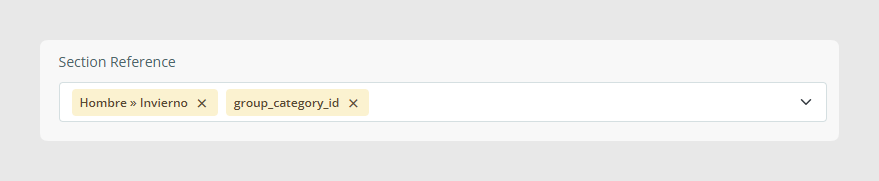
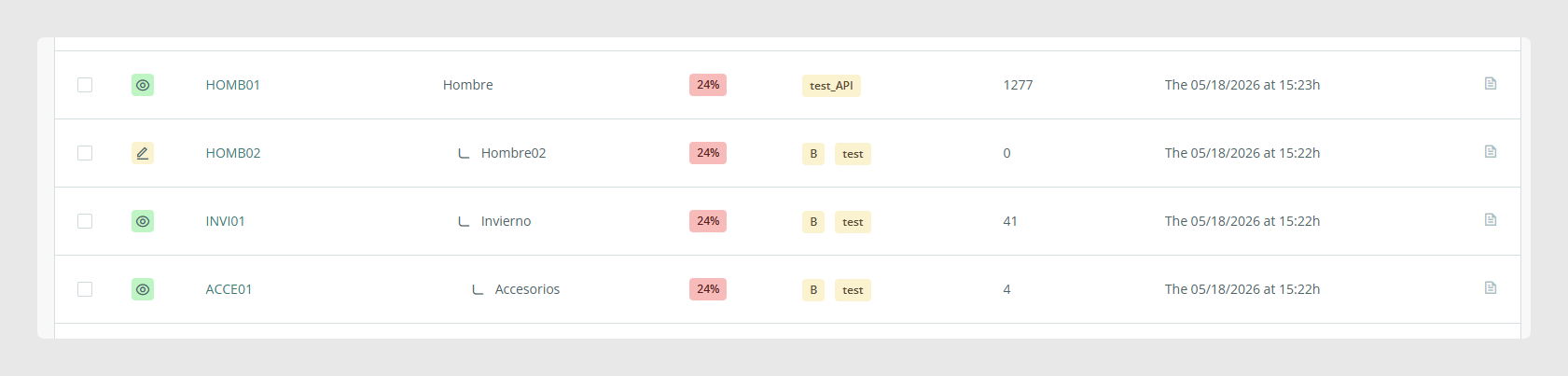
- With the parameter set to true, the product is exported once and both category references are grouped in the same
section_referencefield. - With the parameter set to false, the product is exported twice, once for each category reference.
With first_parent_level, the API can also export the parent item of a modified item.
When the product 42PM506120061 is modified:
- If the parameter is true, the product is exported together with its category tree.
- If the parameter is false, only the modified product is exported.
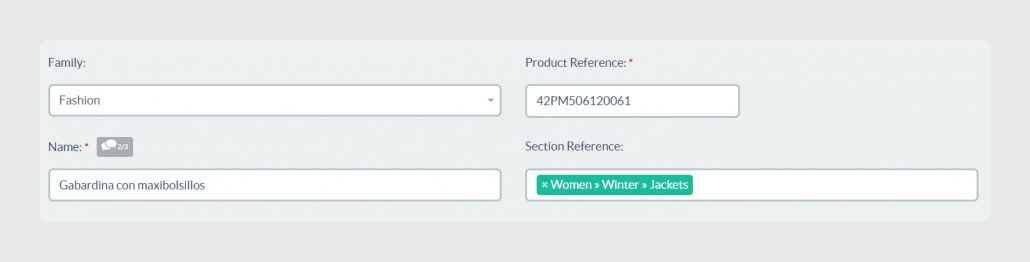
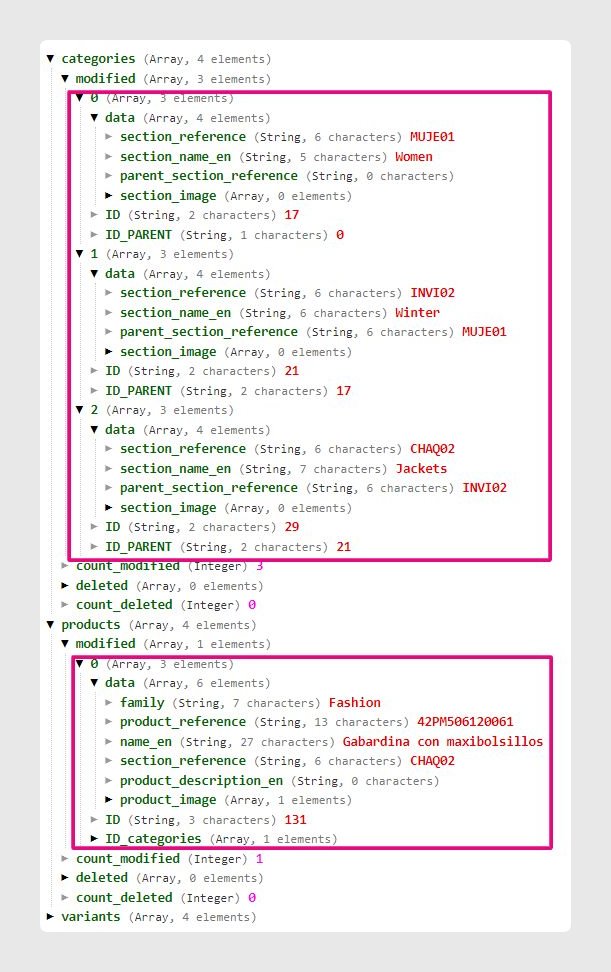
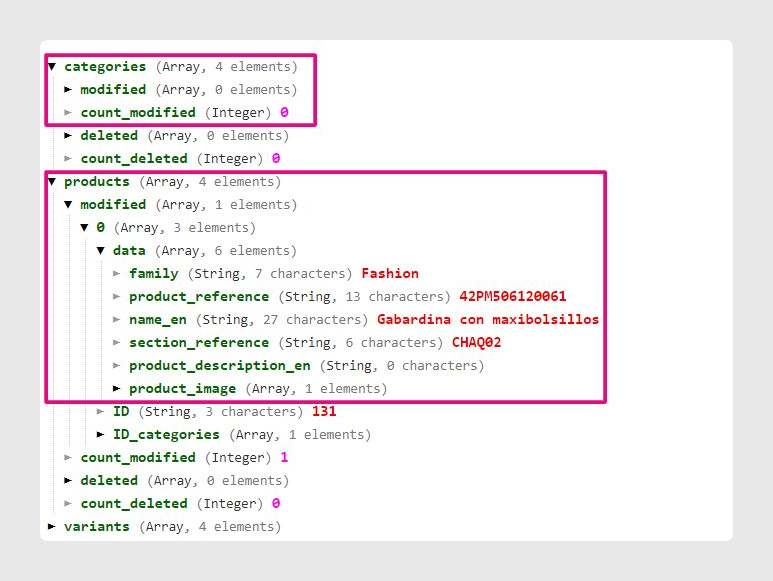
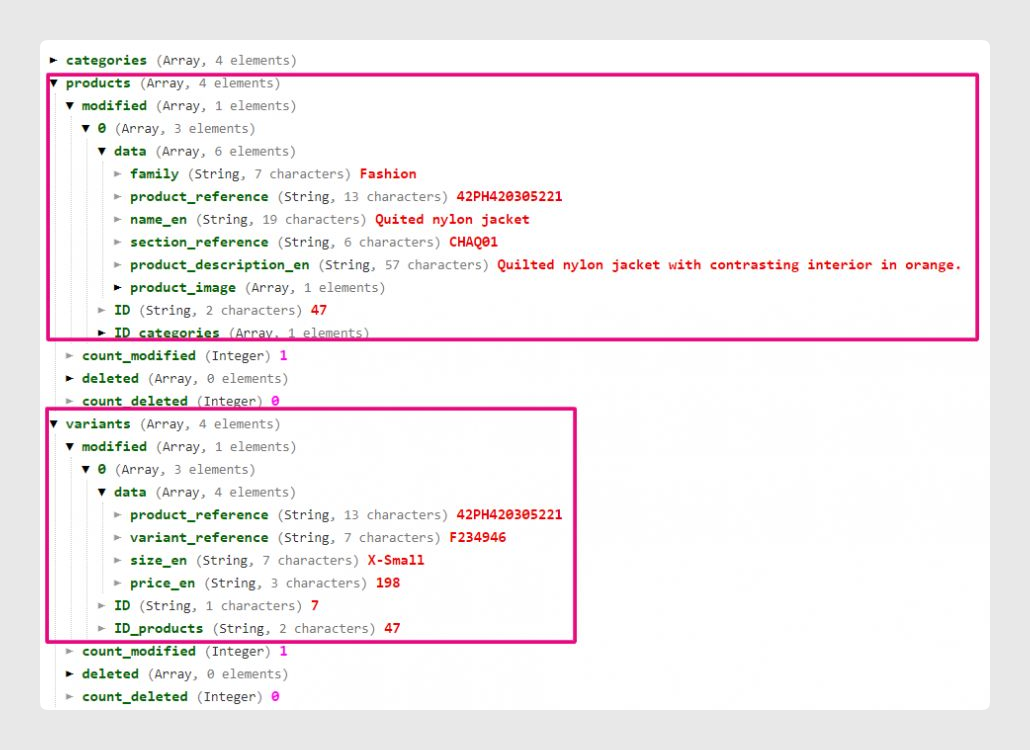
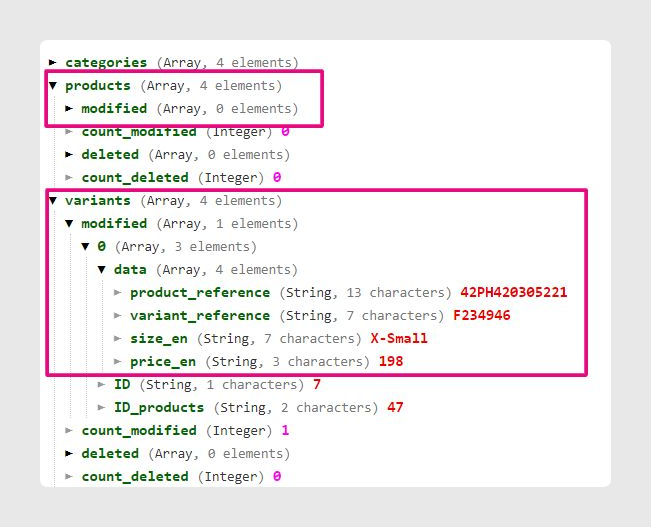
The same logic also applies to variants. If the variant F234946 is modified:
- With the parameter set to true, the API exports both the variant and its parent product.
- With the parameter set to false, the API exports only the modified variant.
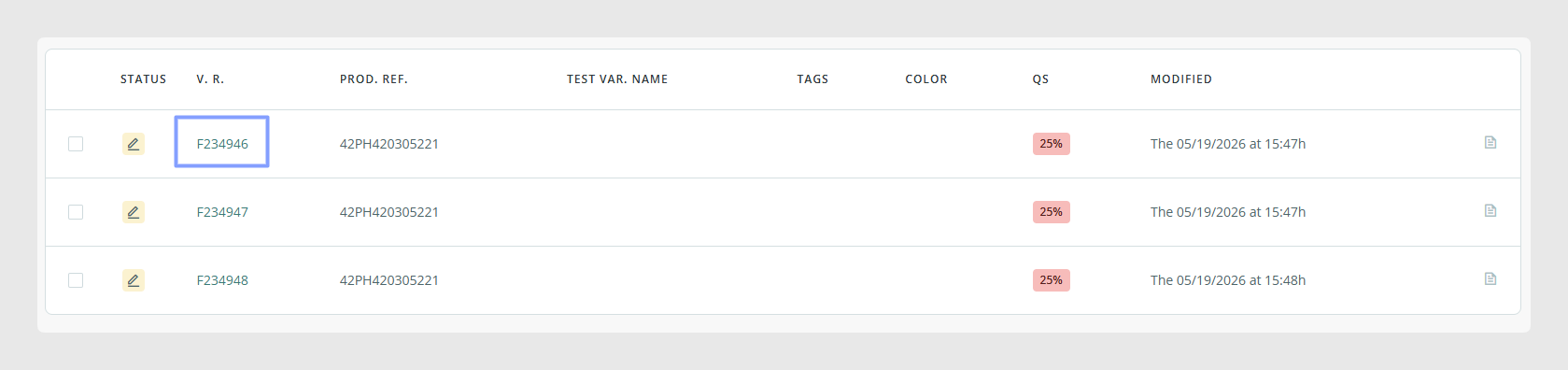
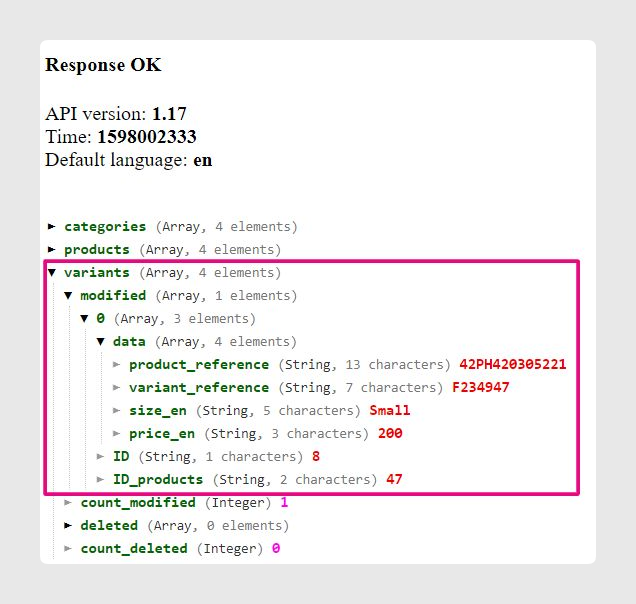
Finally, same_parent_variants controls whether sibling variants are exported together.
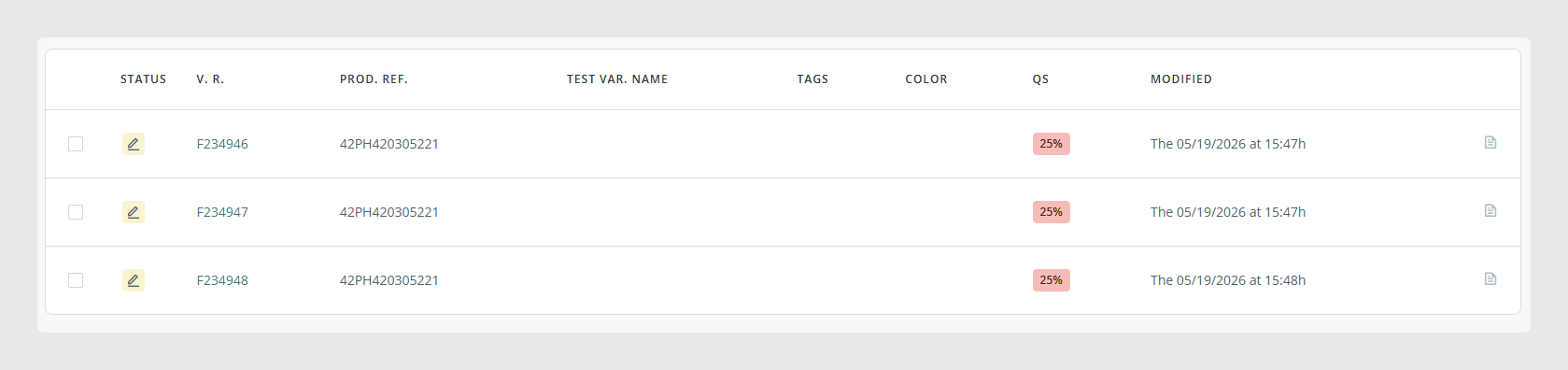
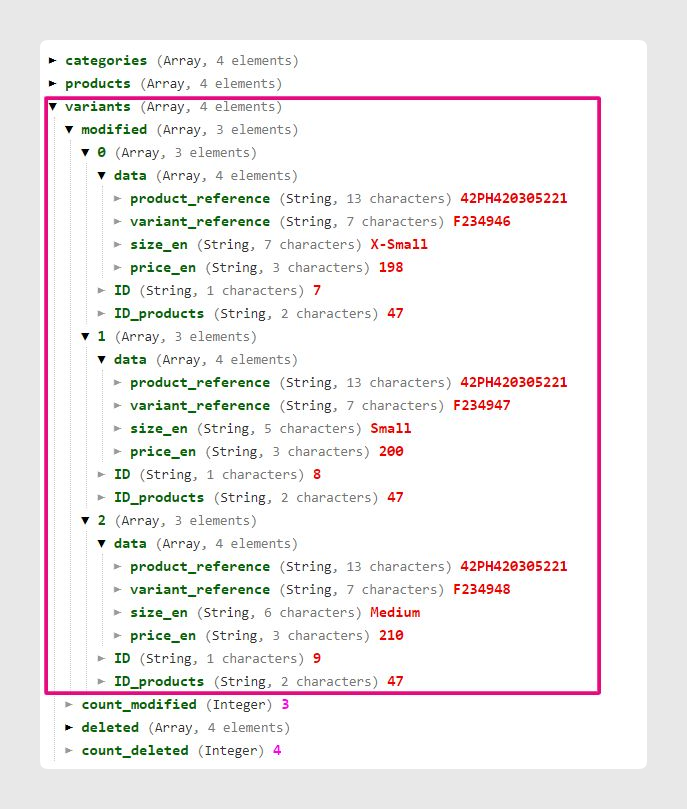
The three visible variants that share the same parent behave like this:
- With the parameter set to true, modifying one variant causes all variants of the same parent to be exported.
- With the parameter set to false, only the modified variant is exported.
Was this article helpful?
That’s Great!
Thank you for your feedback
Sorry! We couldn't be helpful
Thank you for your feedback
Feedback sent
We appreciate your effort and will try to fix the article