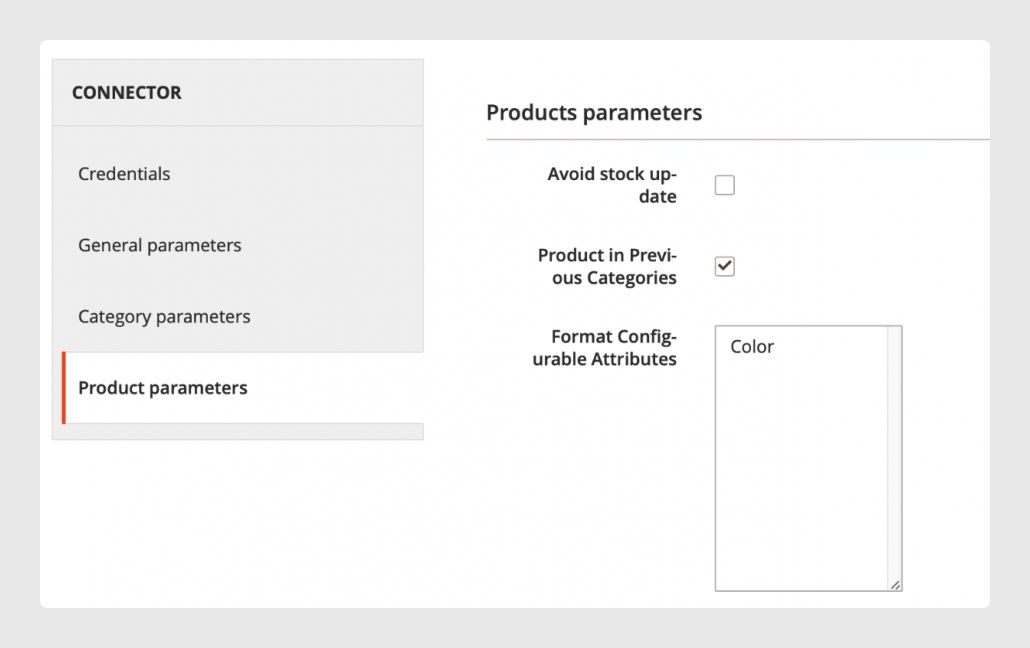
In this tab, you can configure the following options:
- Avoid stock update: when activated, the connector will not update stock. It only applies when the item is created and the quantity field is filled.
- Product in previous categories: allows you to assign the product to all categories in the hierarchy, or parent categories, of the category assigned in Sales Layer. If a product is assigned to a subcategory and this option is selected, it will also be assigned to all its parent categories in Magento.
- Format Configurable Attributes: lets you choose the attributes that will be used for variants.
Once the configuration has been completed, click the Save Connector button in the top right corner. A confirmation message will appear.

If the message shows an error, check the ID code and Channel private key.
!
Warning: more configuration may be needed in your Magento store depending on how you want your categories, products, and variants mapped. For more information, check the Magento catalog menu documentation.
Was this article helpful?
That’s Great!
Thank you for your feedback
Sorry! We couldn't be helpful
Thank you for your feedback
Feedback sent
We appreciate your effort and will try to fix the article