- Log in to https://portal.stock2shop.com/.
- Go to Settings > Users and retrieve the username and password you will use to configure your integration with Sales Layer.
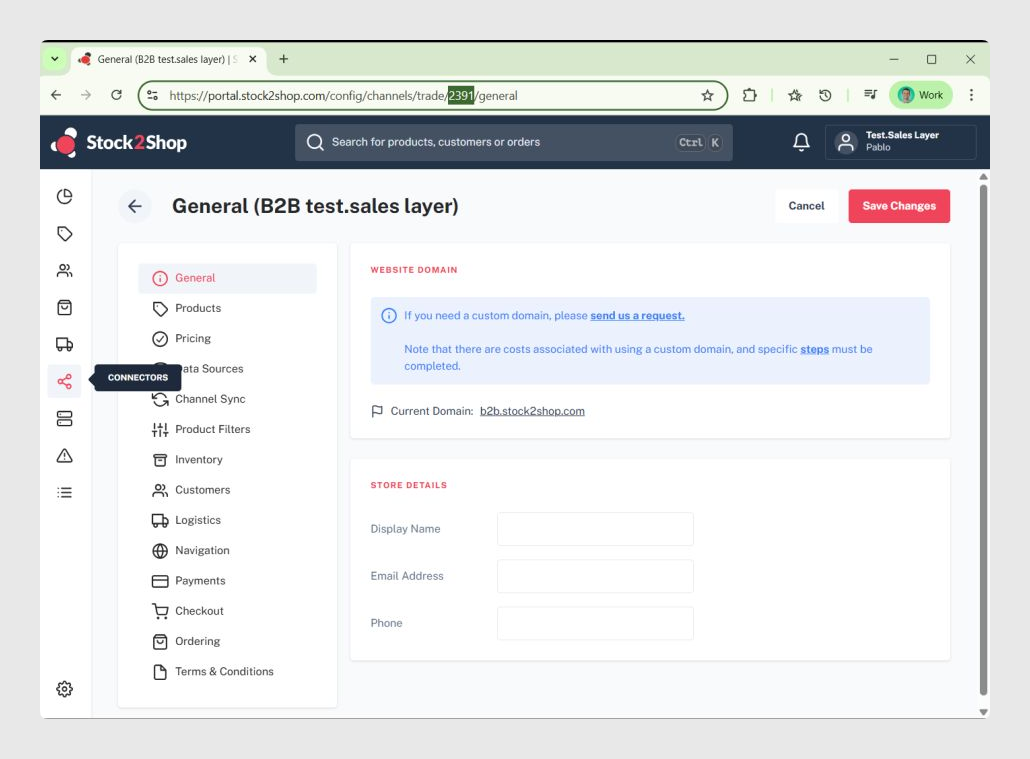
- Next, go to Connectors and copy the Connector ID from the URL.
Was this article helpful?
That’s Great!
Thank you for your feedback
Sorry! We couldn't be helpful
Thank you for your feedback
Feedback sent
We appreciate your effort and will try to fix the article