Once you have created your account in Google Merchant Center, you can start configuring the channel in Sales Layer.
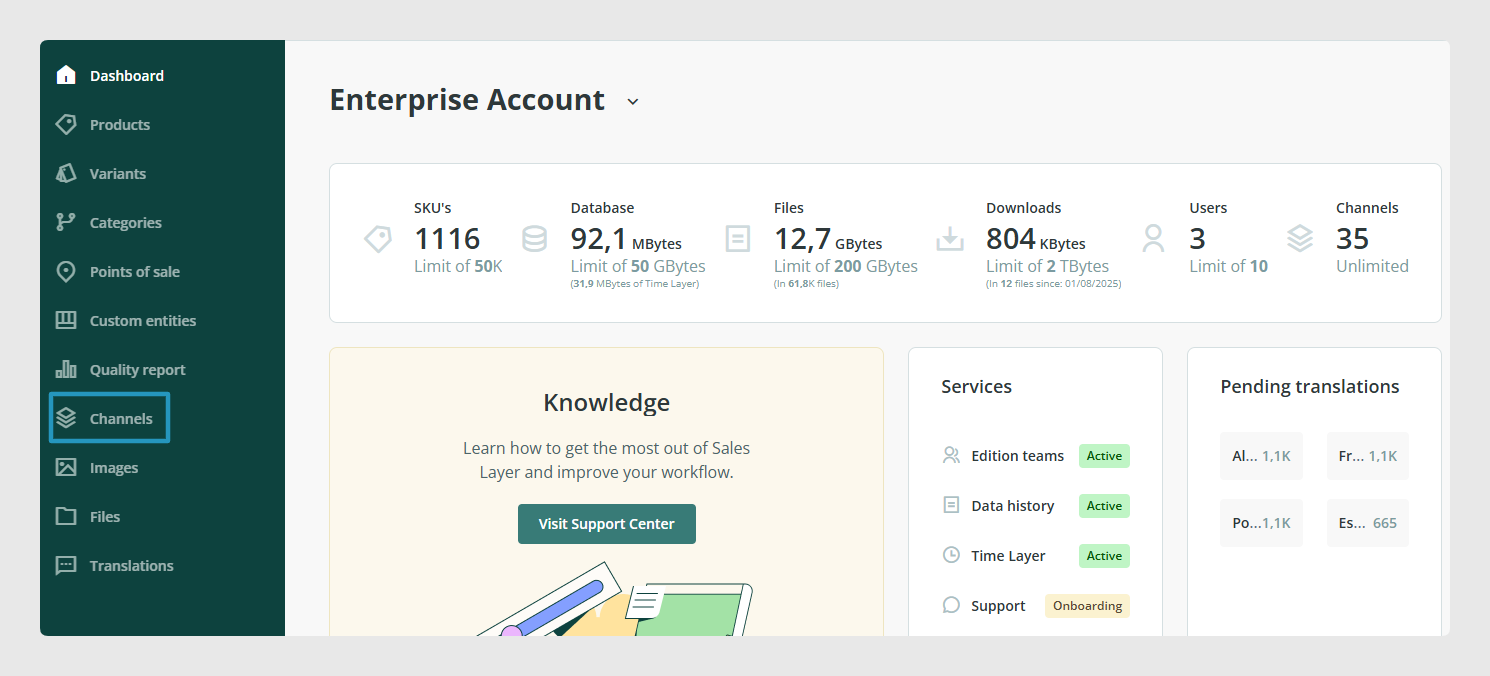
First, you must access your Sales Layer dashboard in Sales Layer and go to the "Channels" option in the left menu:
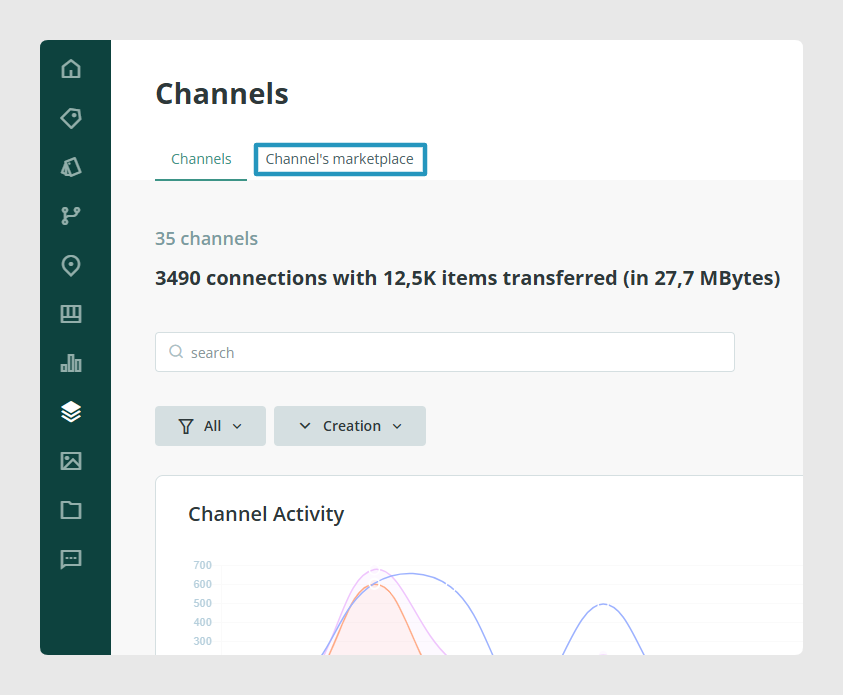
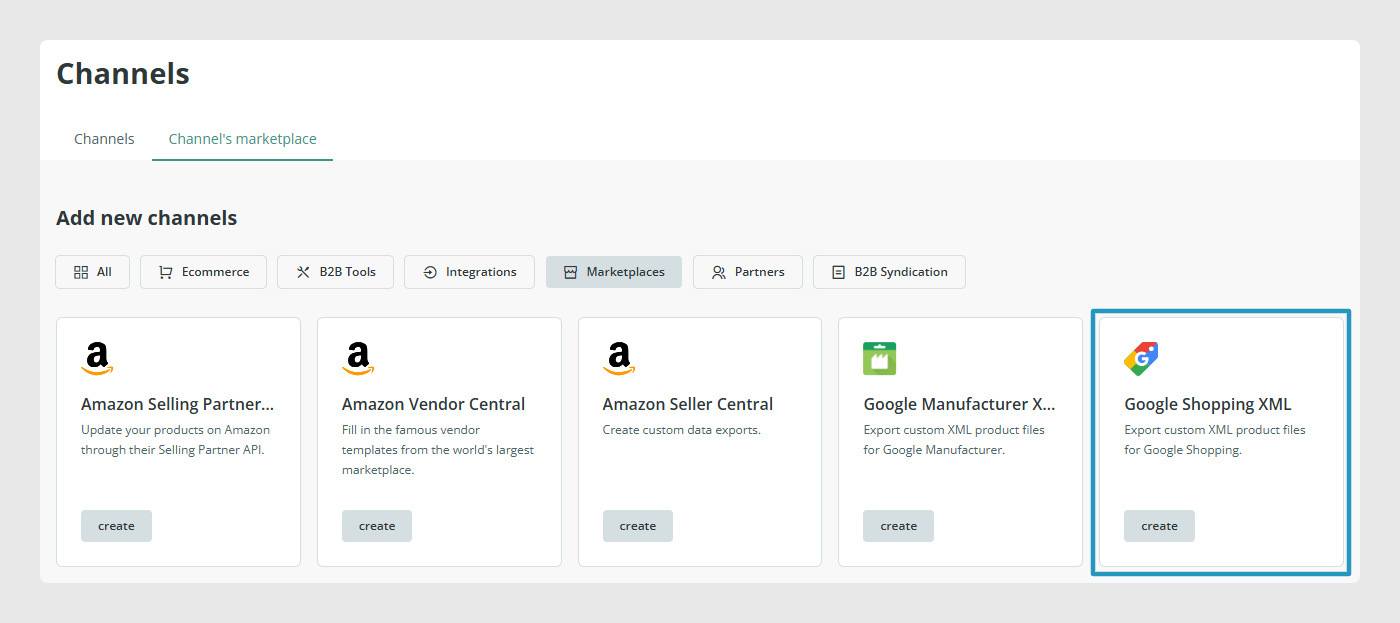
Then, go to the Channels marketplace tab, and scroll down until you find the Google Shopping connector's box, as shown in the second image:
Finally, press the "Create"button to start configuring the channel.
Was this article helpful?
That’s Great!
Thank you for your feedback
Sorry! We couldn't be helpful
Thank you for your feedback
Feedback sent
We appreciate your effort and will try to fix the article